Jarvis: rebuilding El Confidencial’s CMS
El Confidencial builds its own CMS, and more than 200 journalists, columnists and freelancers write in it every day. After 15 years on the old system, product, engineering and design rebuilt it from scratch. I was the only designer on the project. The new editor had to be faster to write in, bring AI tools into the writing flow, and roll out without slowing down a newsroom that publishes around the clock.
- Role
- Lead product designer
- Client
- El Confidencial
- Focus
- Editorial tools & AI
- Year
- 2023–present
0%
Of news articles now written in Jarvis
July 2026. Live blogs are at 100%. The breaking-news desk moved last, by design.
0+
Journalists, columnists and freelancers
Rolled out from a pilot group, then section by section, starting with Culture and Vanitatis, our lifestyle section.
0%
Precision of Argos, our spelling and style checker
In the last test before rollout, 72% of the 127 corrections it proposed across 71 articles were right. It now runs on every piece before publication.
Project objectives
Each group needed something different from the same tool. These are the objectives we agreed with them.
Editorial
- A writing tool journalists want to stay in from first draft to publication
- Less time spent linking, tagging and inserting media
- One place for the AI tools people were already using elsewhere
Business
- Fewer errors, more relevant links and more video in published articles
- Less time from draft to publication
- Better search performance (SEO) for what we publish
Product
- A platform for new AI editorial tools
- A modern, more secure stack
- Higher adoption and satisfaction among journalists
The old CMS
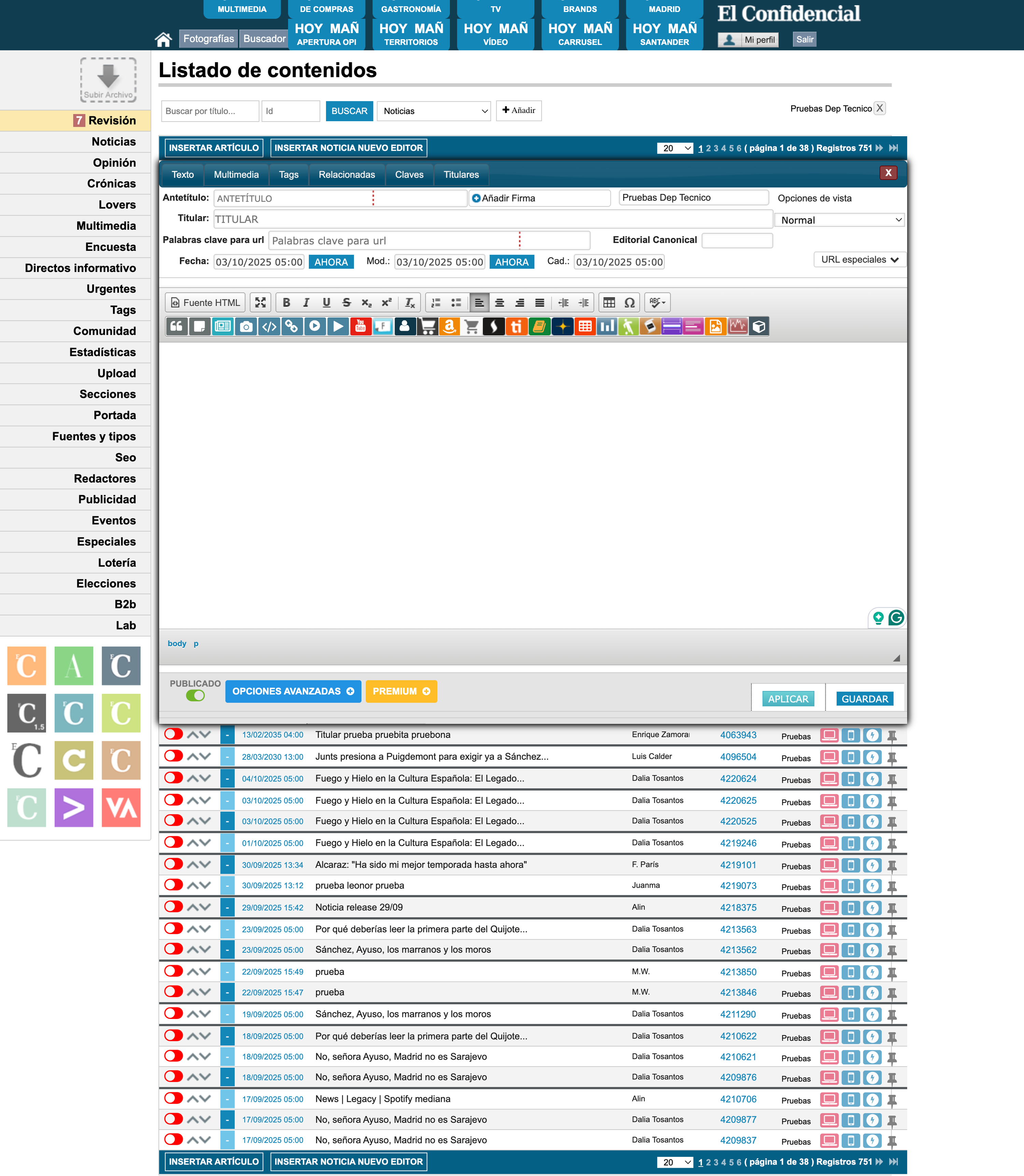
The old CMS made simple tasks hard. Buttons were icons with no labels, sections were hard to tell apart, and the text editor was a small box inside the article list.
Research process
Benchmarking
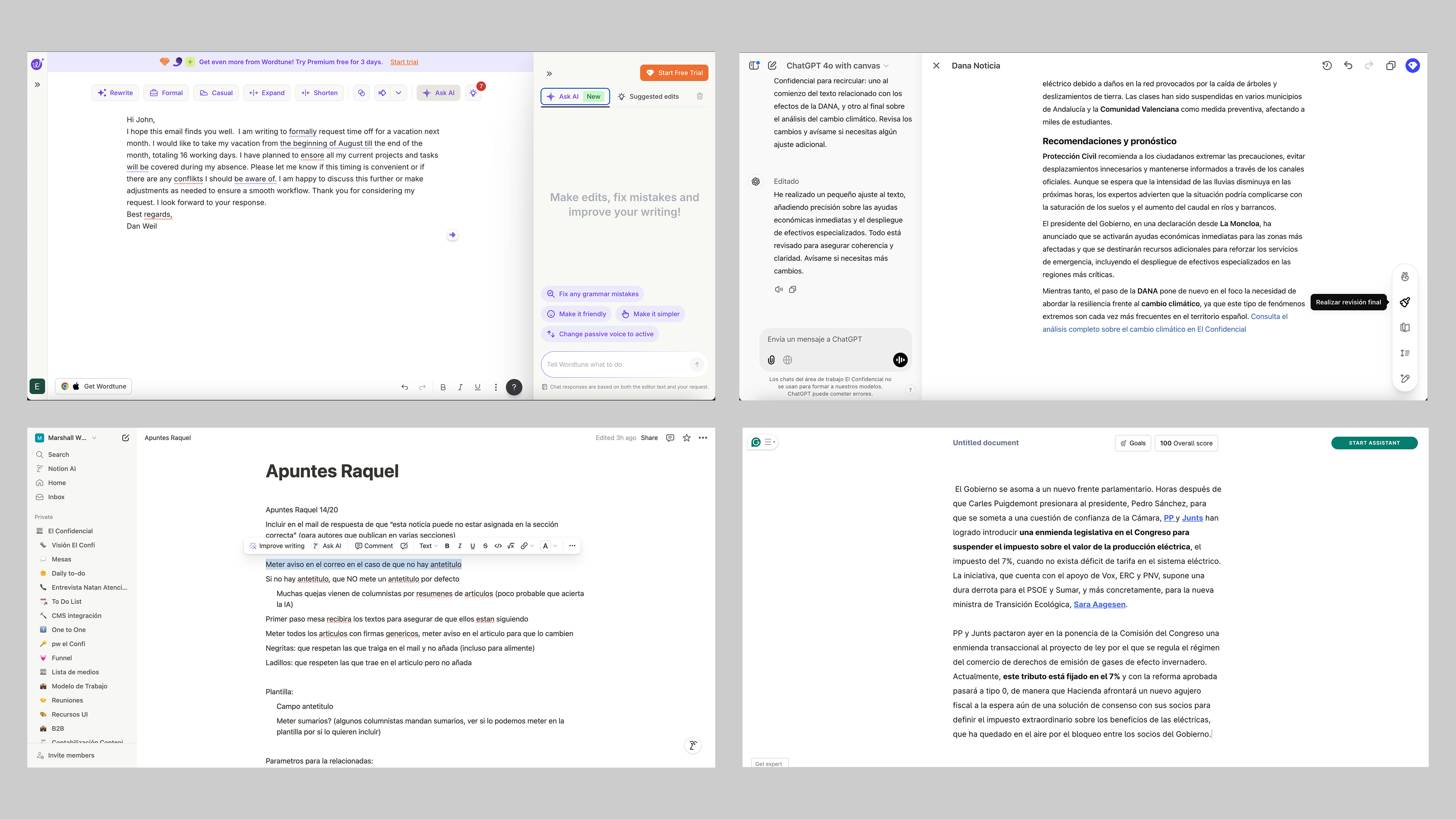
Benchmark board: Notion, ArcXP, WordPress, Medium and Substack, annotated for flows, interactions and AI features.
User story mapping
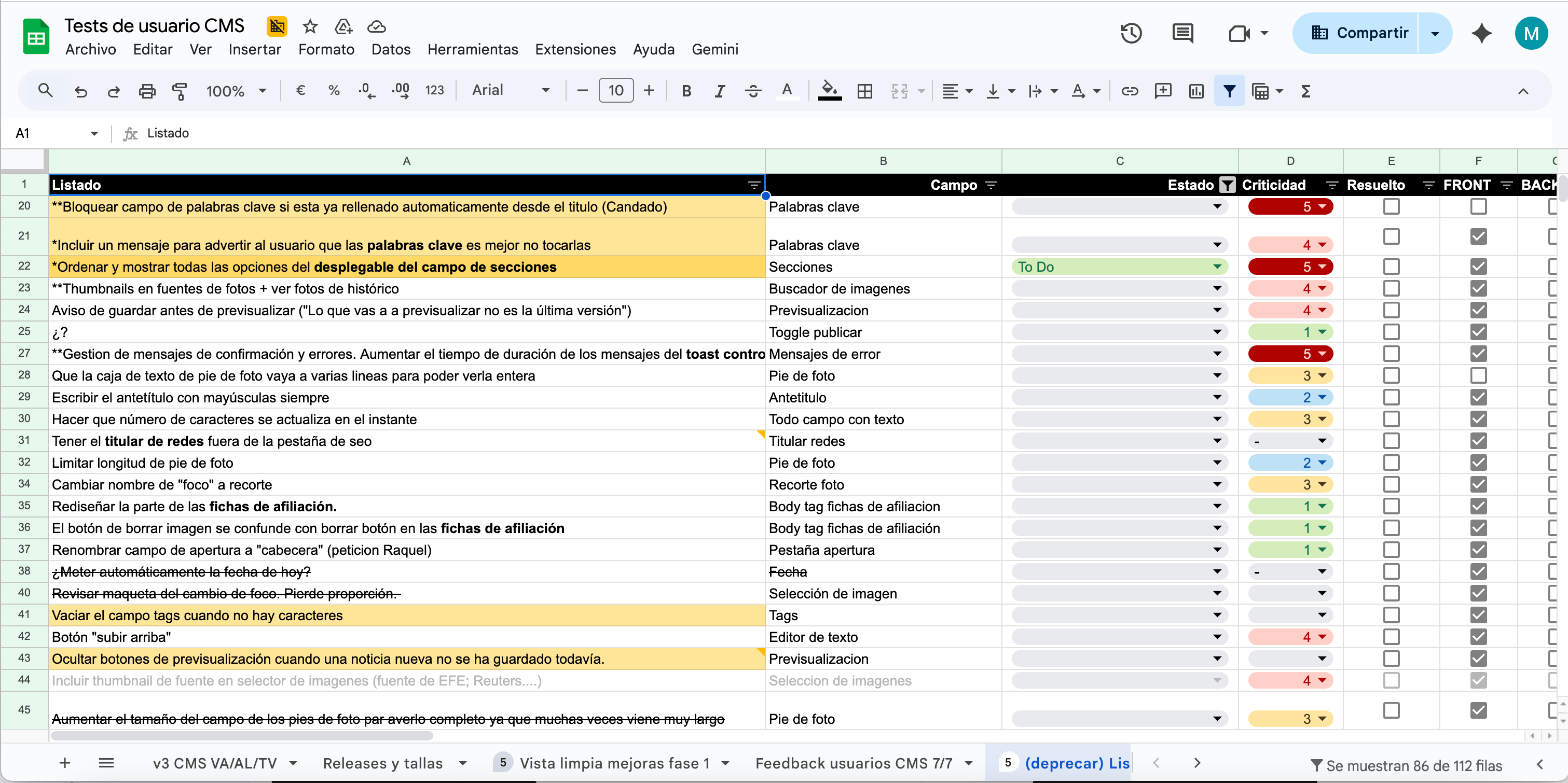
User story map used to slice the feature backlog into quarterly releases.
User interviews and testing
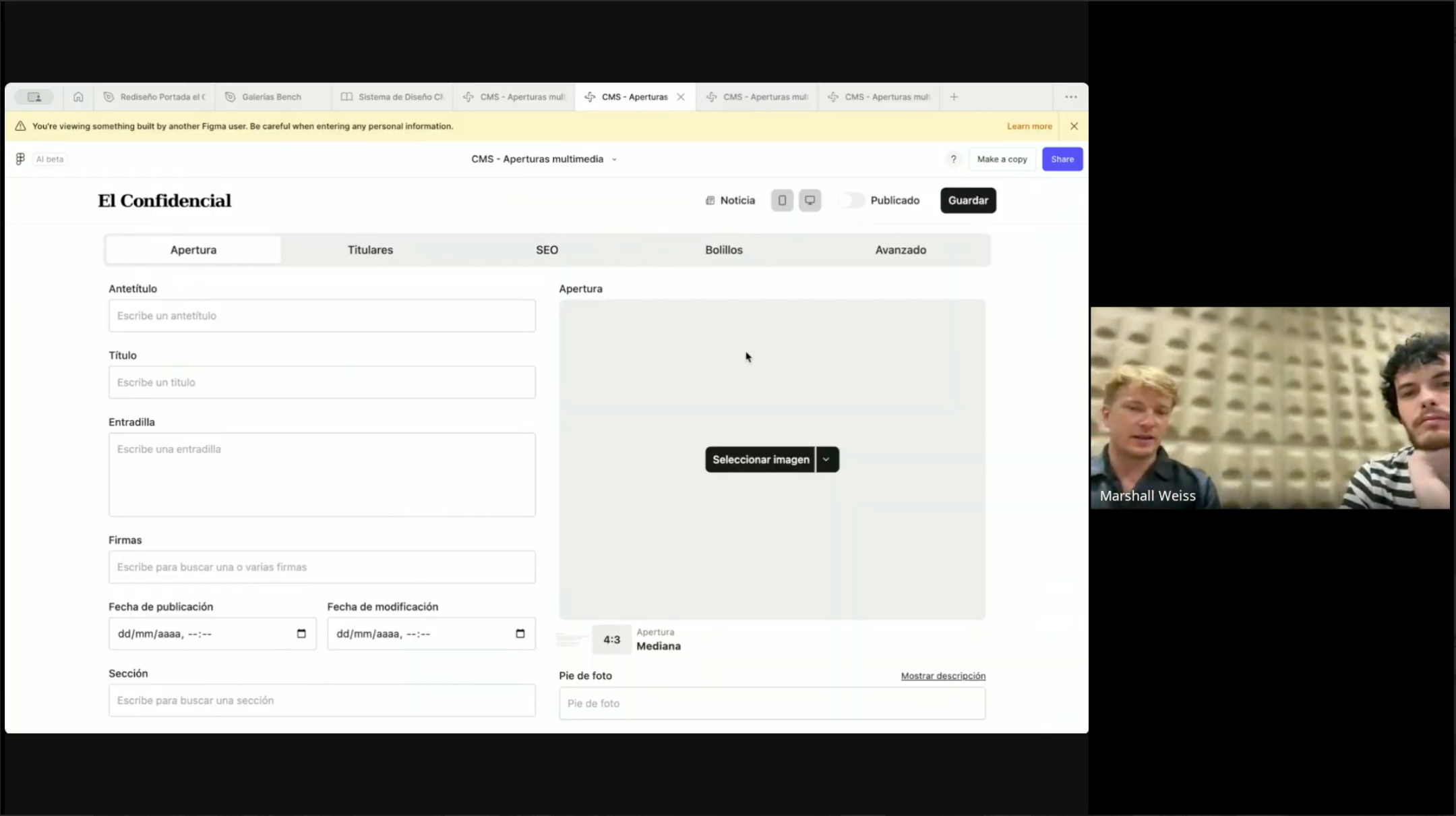
Moderated test sessions with journalists from across the newsroom, recorded and logged against the feature backlog.
Insights
Writers were working around the editor
The old editor was small, had no autosave and couldn’t show images inline, so many journalists wrote in Google Docs or Word, pasted their text in and fixed the formatting by hand. The goal was an editor good enough that they’d stop.
Journalists wanted the tedious steps automated
Inserting images, quotes and related articles was slow and manual. Those were the steps people most wanted automated, which made them the first place to try AI suggestions.
Everyone used AI differently
Journalists were using a mix of outside AI tools, each in their own way. We wanted those tools inside the CMS, so the whole newsroom used the same ones.
The old system lost work
It was unstable enough that people lost articles mid-draft. Reliability had to improve as part of the redesign.
Adding images and video was slow
Uploading and embedding media took too many steps at a time when the paper wanted more video in its stories.
Keep what already worked
Where an old pattern worked, we kept it. A familiar layout kept the learning curve short for people writing on deadline.
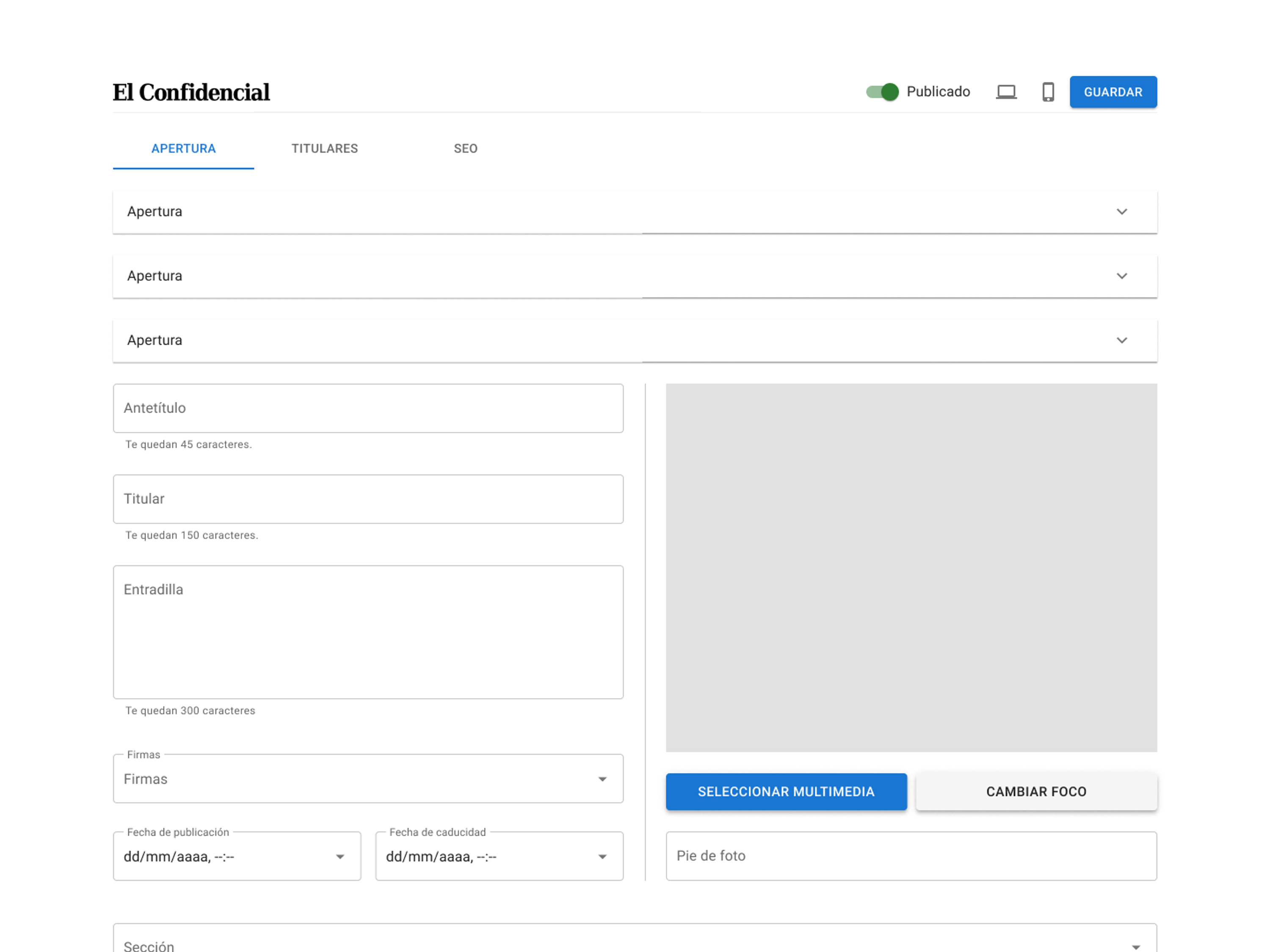
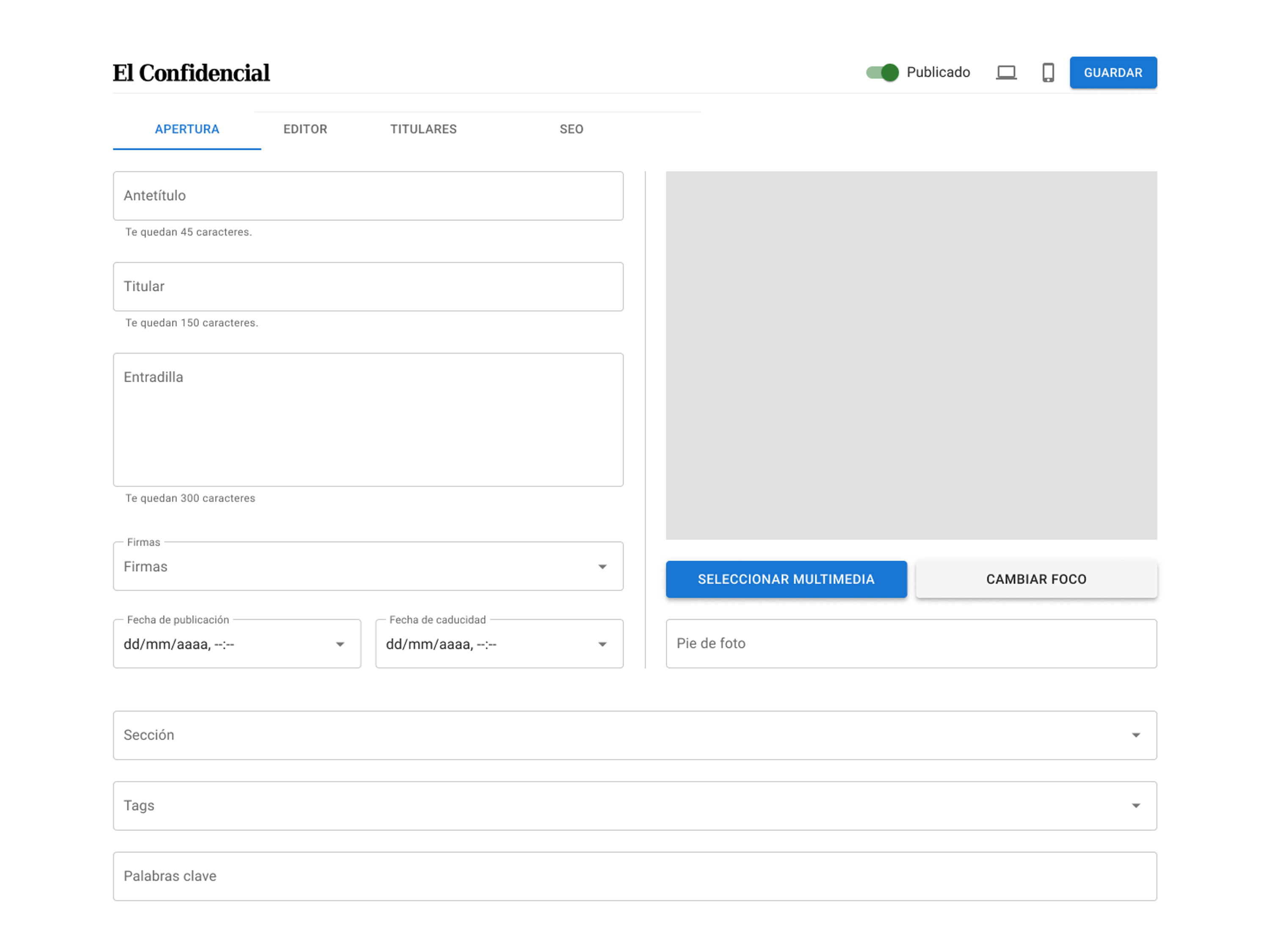
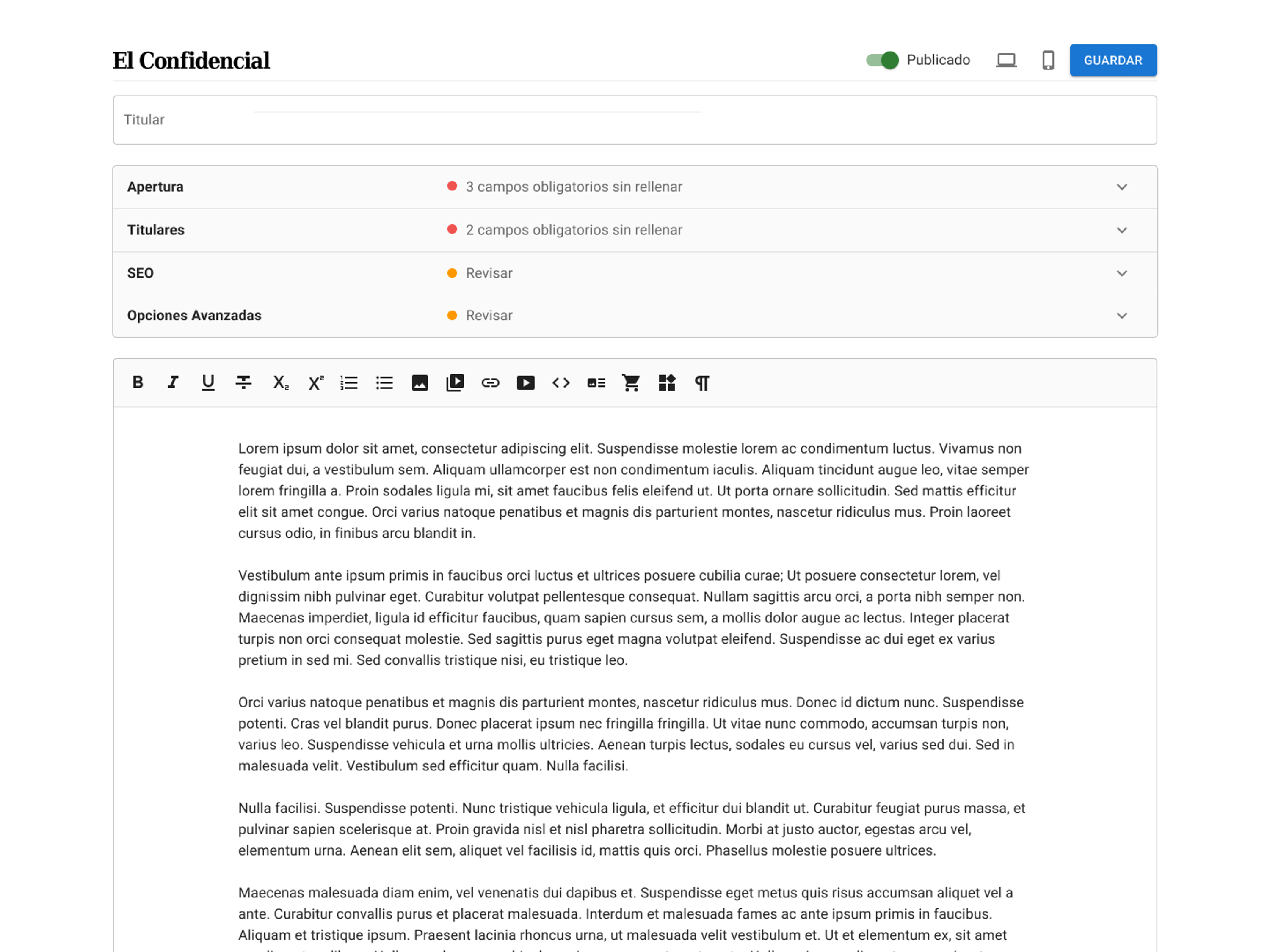
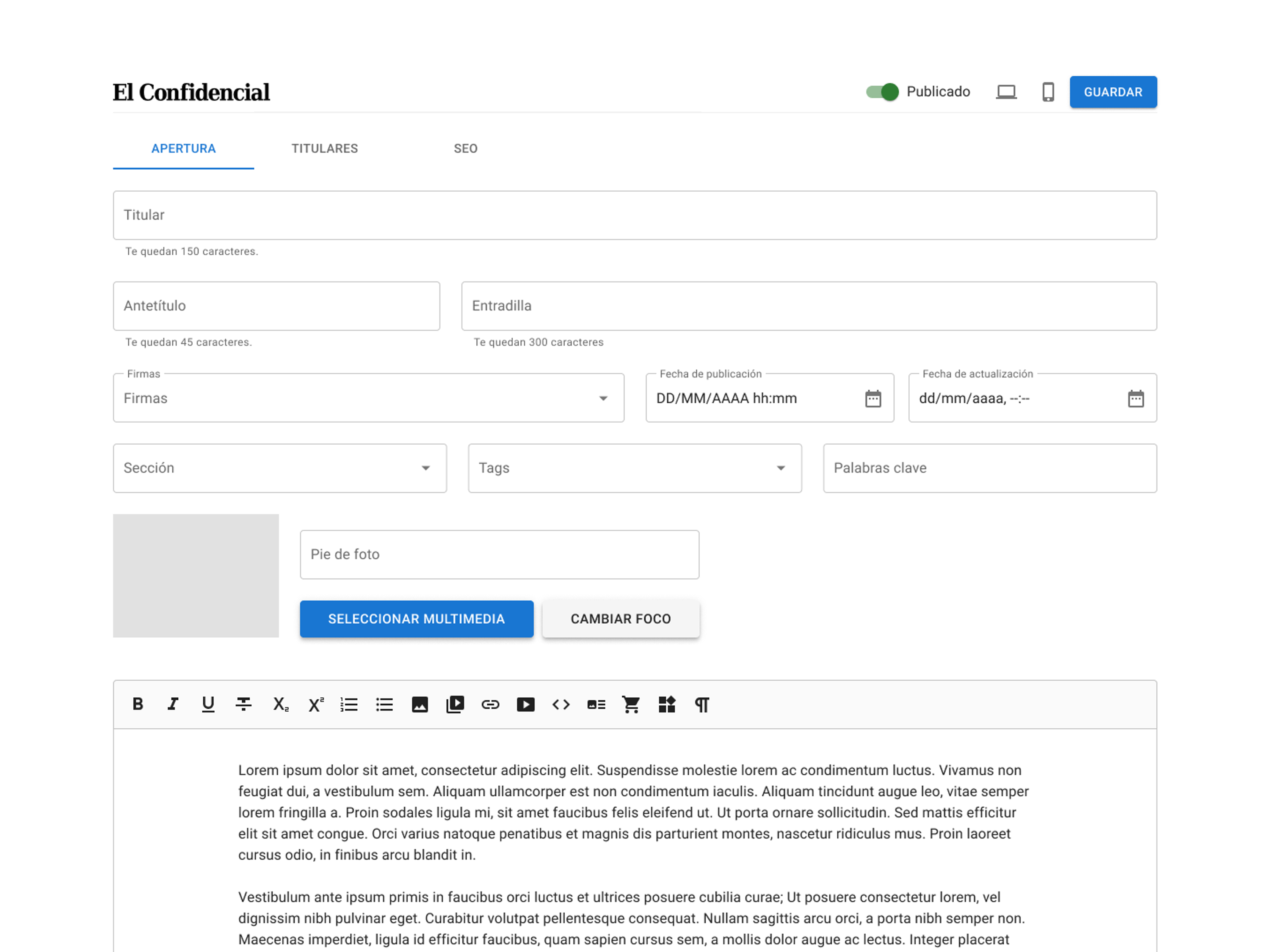
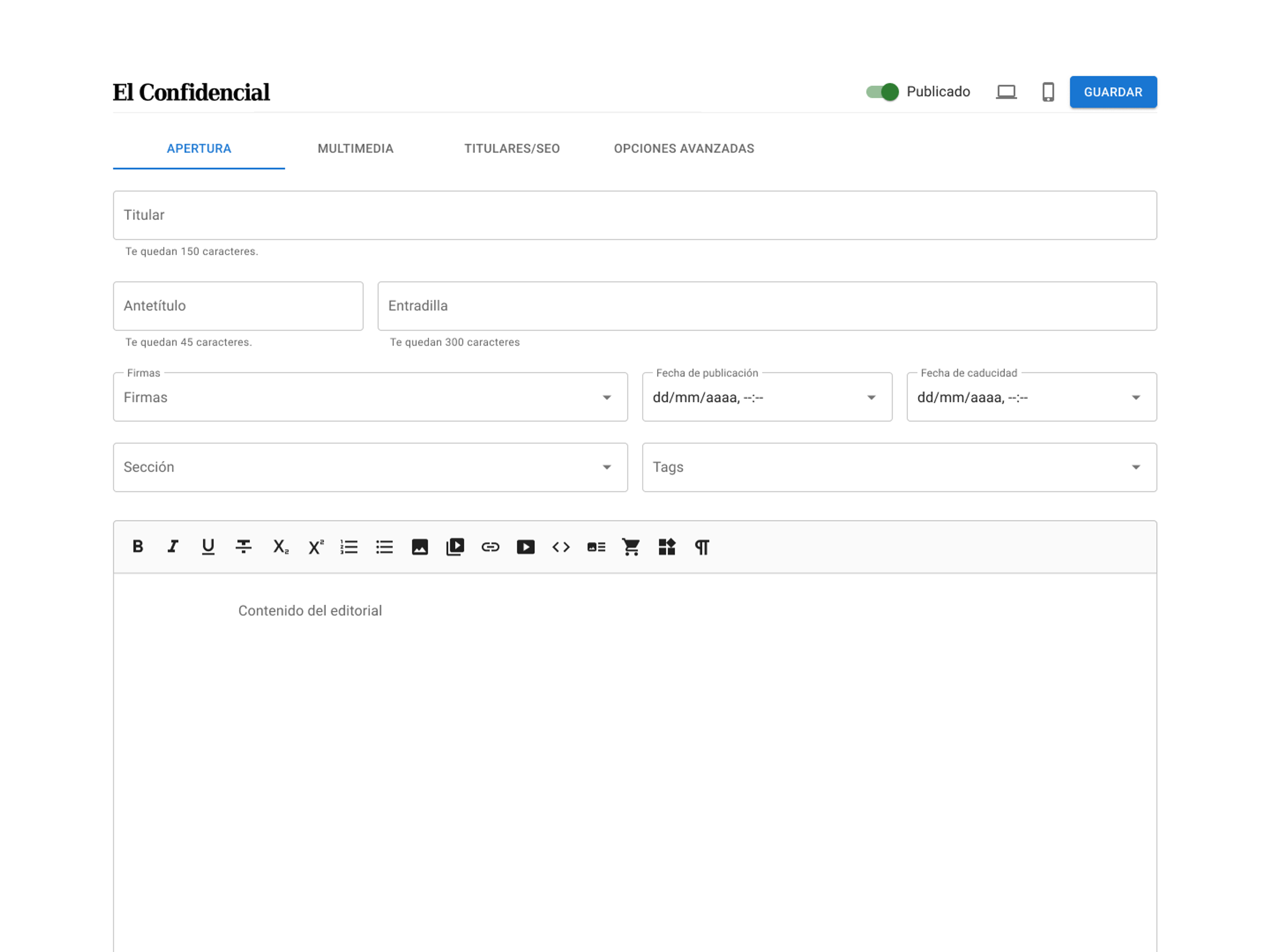
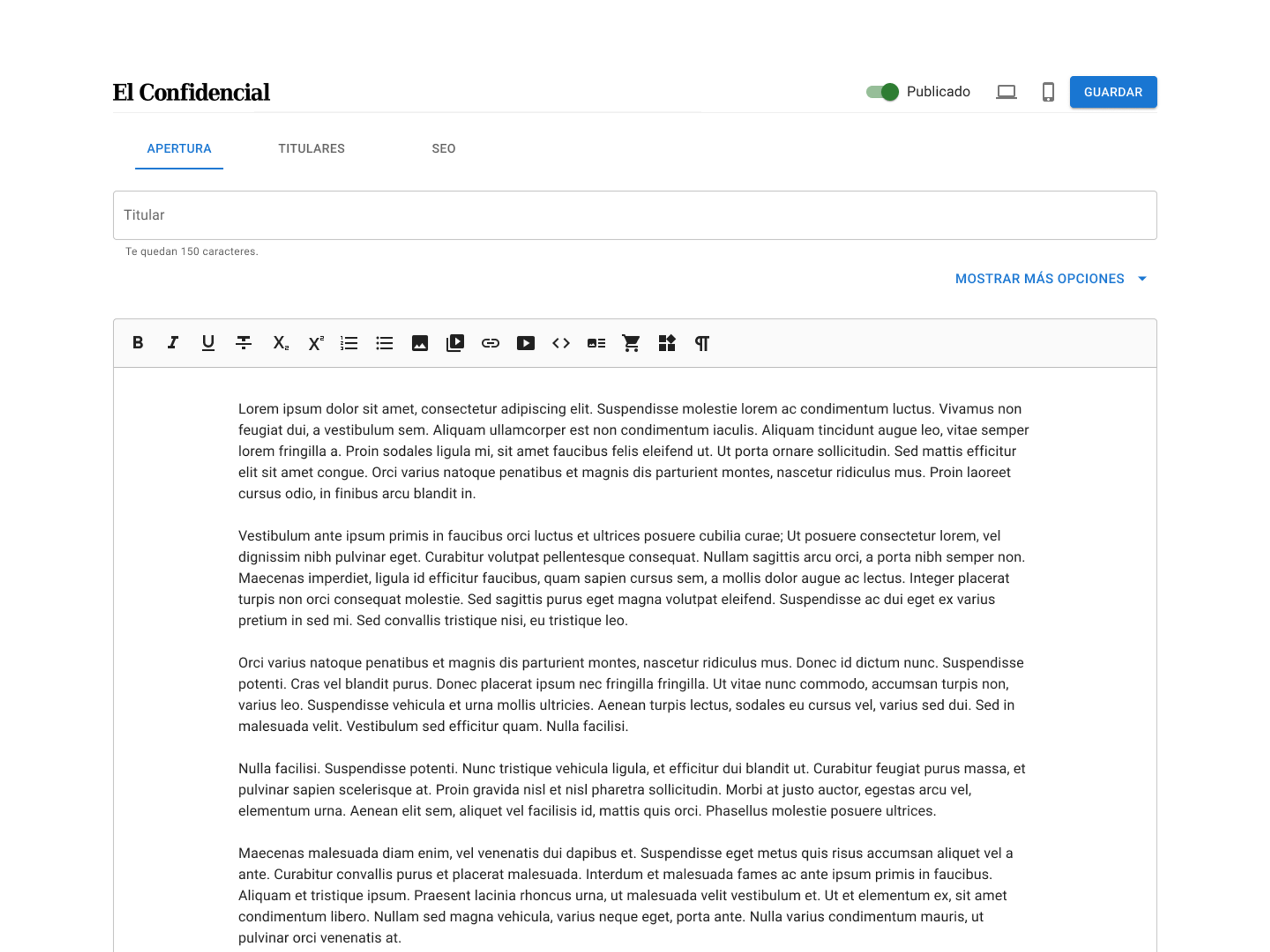
Early sketches and wireframes
The first designs reproduced the old CMS fields so we could test whether their order and grouping held up. The hard part was fitting the fields and the media picker on one screen without crowding the text.
Final design
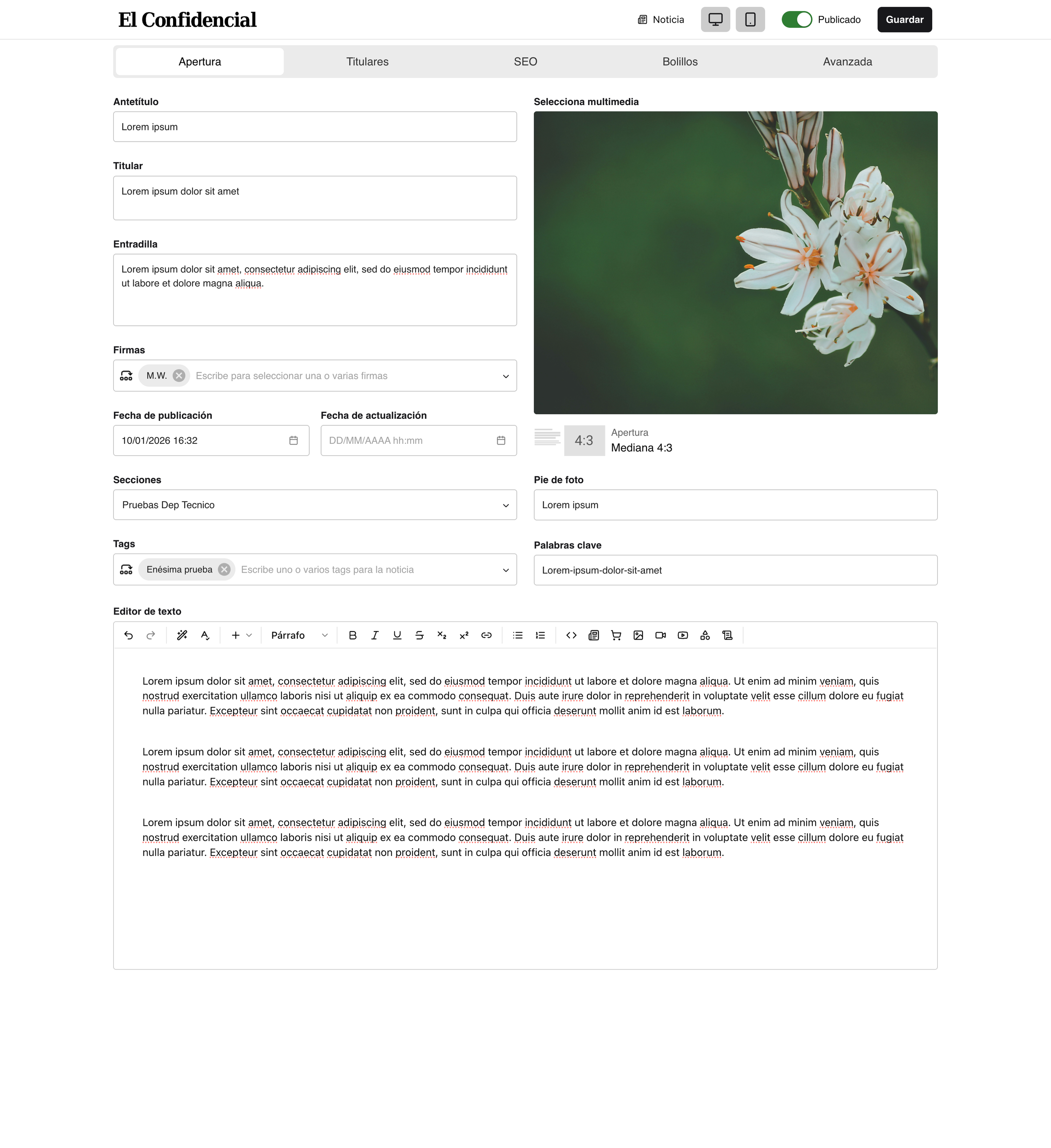
The editor pairs shadcn styling with a WYSIWYG layout that mirrors the published article, and AI features sit inside the writing flow from draft to publication.
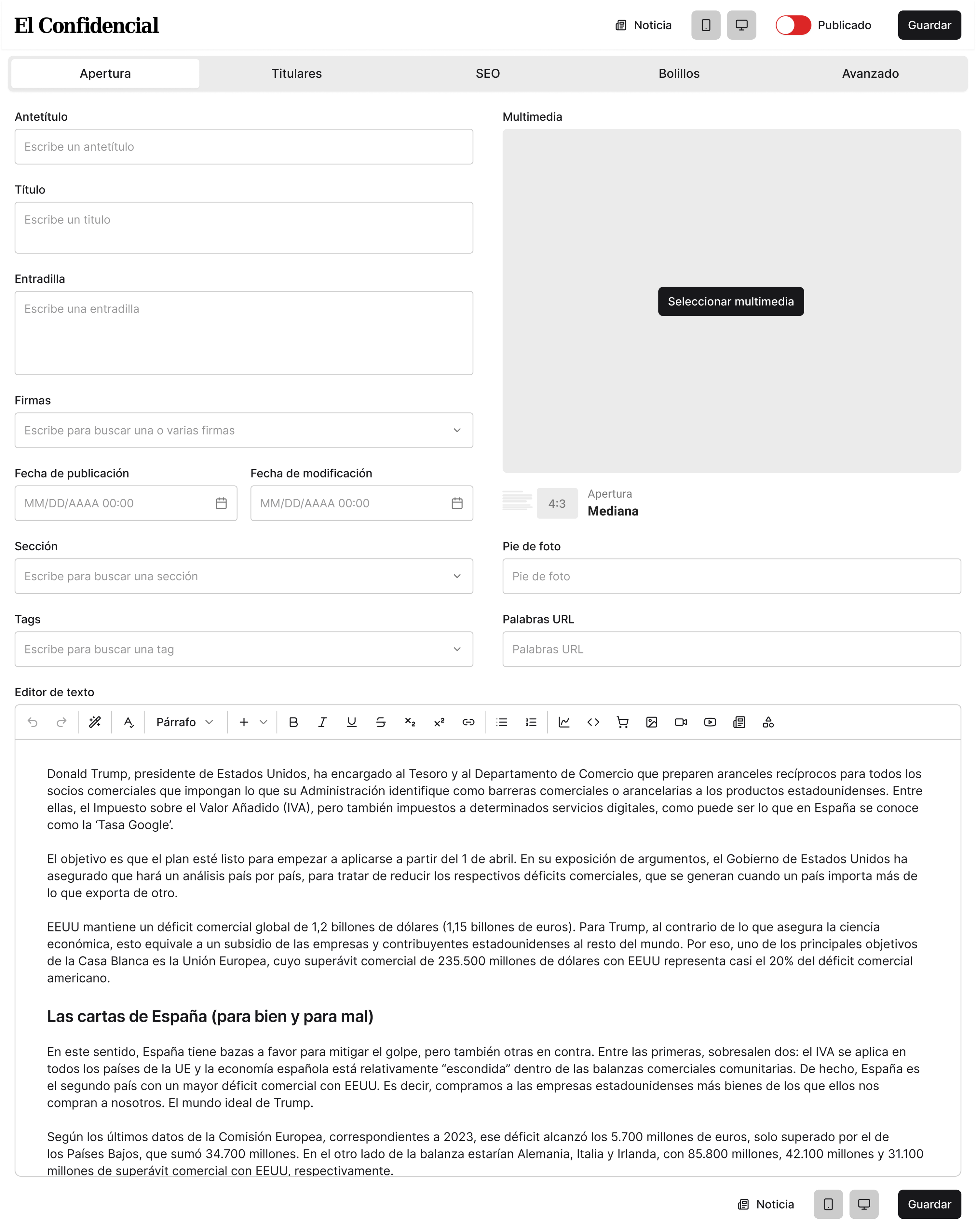
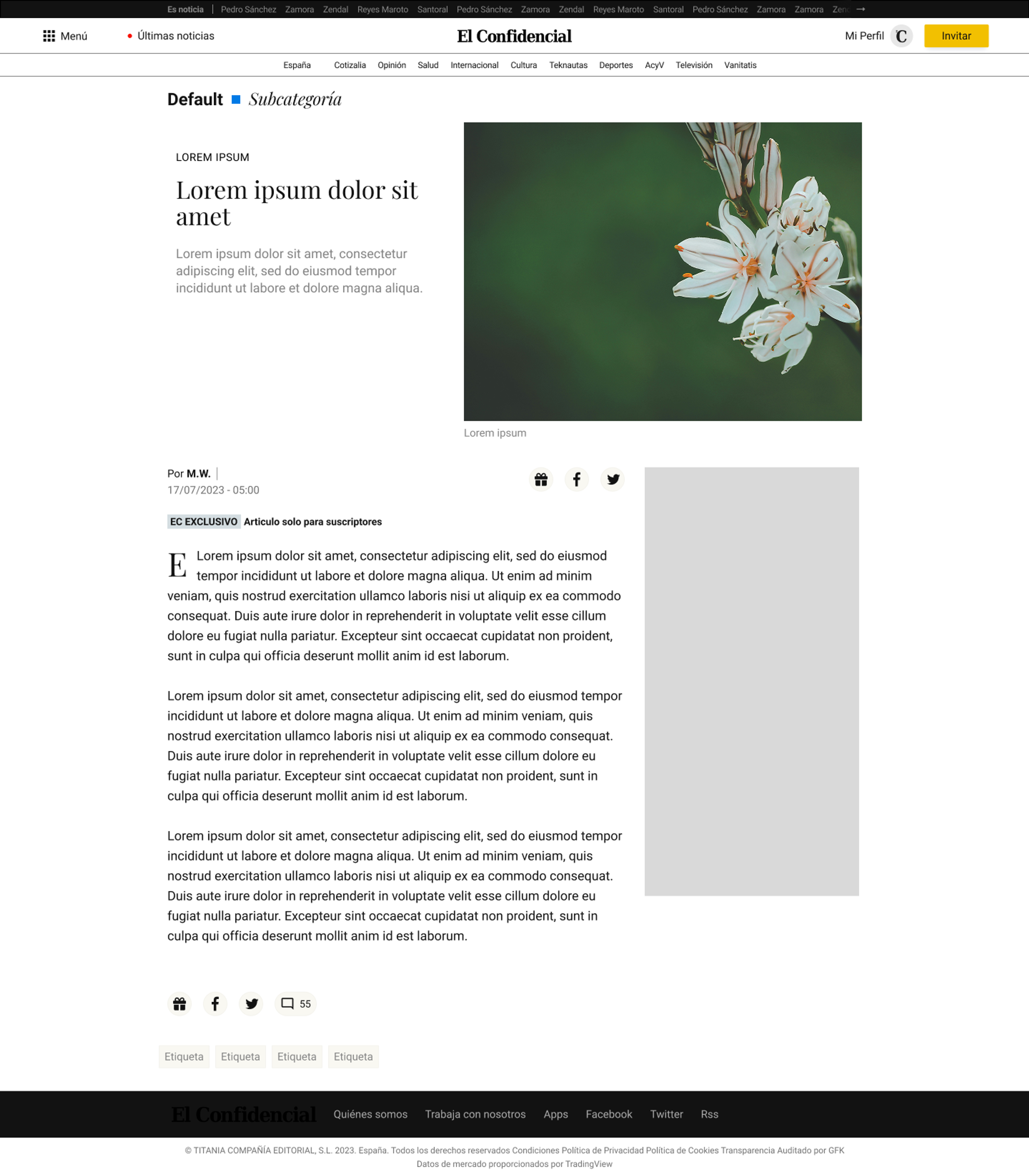
The editor mirrors the published article
Fields, media and text sit where they’ll appear on the live page, so journalists can see the article take shape as they write.
Live article on site
CMS editor
Finding and editing media in one place
Users browse images with metadata, select one or many assets, and choose article layouts visually, all from one place.
AI suggestions for related articles
The editor suggests related articles based on what the journalist is writing, using vector search over the archive, so they no longer hunt for links by hand.
Argos, the spelling, style and grammar checker
Argos checks each article against El Confidencial’s stylebook and shows every suggestion as a card the journalist can accept or reject.
Inline AI commands
Inline commands rewrite, shorten or change the tone of a passage, following the paper’s stylebook.
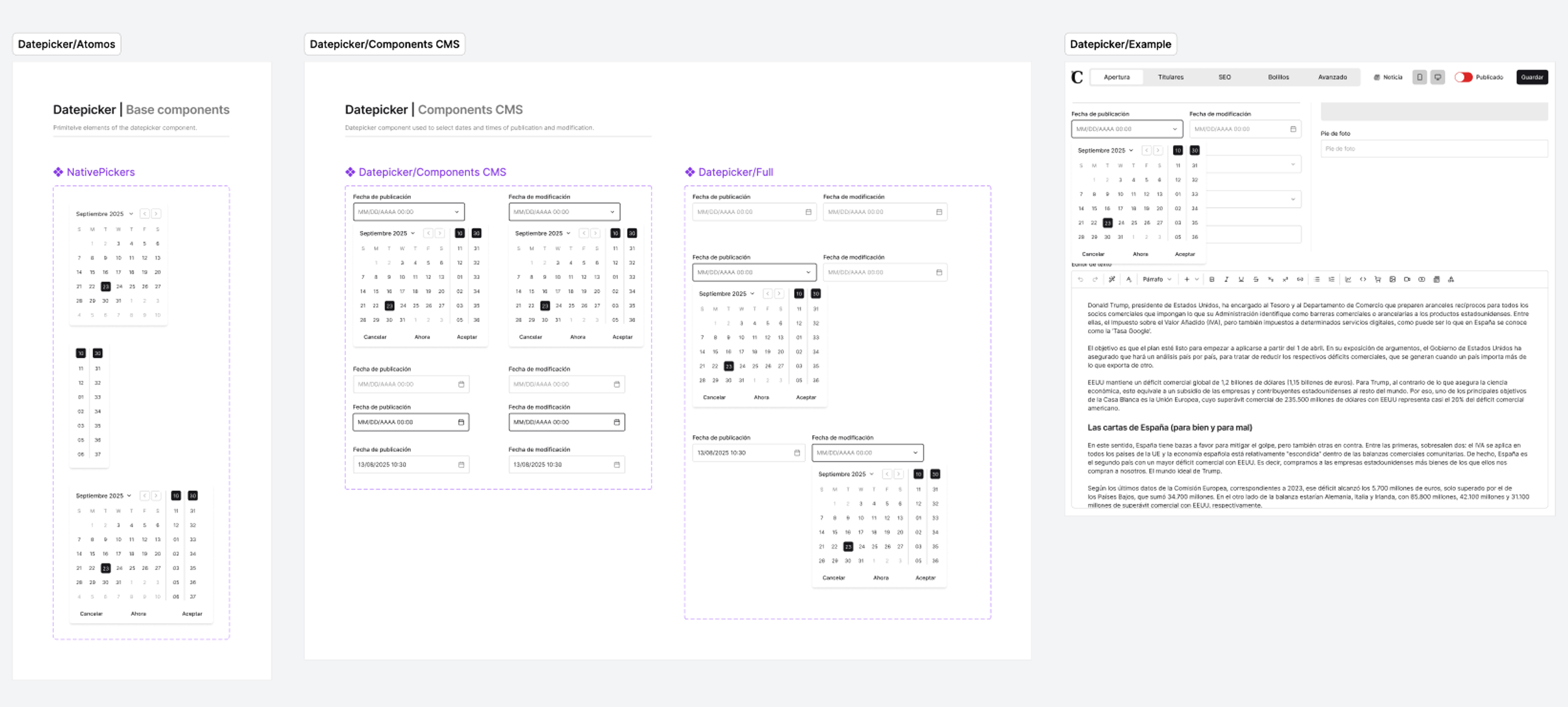
A documented design system
Tokenized styles and reusable components keep features consistent. A hybrid MUI and shadcn approach pairs MUI's depth with shadcn's simplicity. Prototypes are now built as working artifacts in Claude Code.
Outcomes
Rolled out section by section
By July 2026 every live blog and about 80% of news articles were written in Jarvis. The breaking-news desk was the last to move.
Argos runs before every article publishes
Running Argos became a required step before publishing. In the last test before rollout, 72% of the corrections it proposed were right. Checking now starts on the writer’s screen instead of only at the copy desk.
Journalists like writing in it
Many journalists in the newsroom have told me the new CMS feels more modern and is easier to write in.
Fixes ship quickly
A bug reporter inside the CMS and journalists in the same building meant problems surfaced fast after launch, and new features followed how people actually used it.
Fewer tools, fewer tab switches
Media, related links, formatting and spell checking all happen inside the editor. The related-article suggestions also improved recirculation, so readers go on to more of our own stories.
A base to build on
The design system and modular architecture give us a base to add features without redesigning the editor each time.