Subscription checkout
Readers who reached El Confidencial's checkout had already chosen a plan, and most of them still didn't finish paying. I led the redesign of that step, working with two other designers on research and two developers who specialise in Piano, our subscription platform. We traced the drop-off through rage-click data, device audits and customer-service logs, then fixed what we found one problem at a time inside Piano's limits. The design work took about two months; the new checkout went live in November 2024.
- Role
- Product designer
- Client
- El Confidencial
- Focus
- Subscriptions
- Year
- 2023–2024
0%
Checkout completion after launch
Up from about 30%. Payment screen to confirmed subscription, measured in Amplitude, November 2024 to March 2025.
+0 pts
More completions for every hundred readers who reached payment
About a fifth more completions, measured week by week against the two months before launch.
0 months
The lift held
Through the quiet weeks after the holiday campaigns, not only launch week.
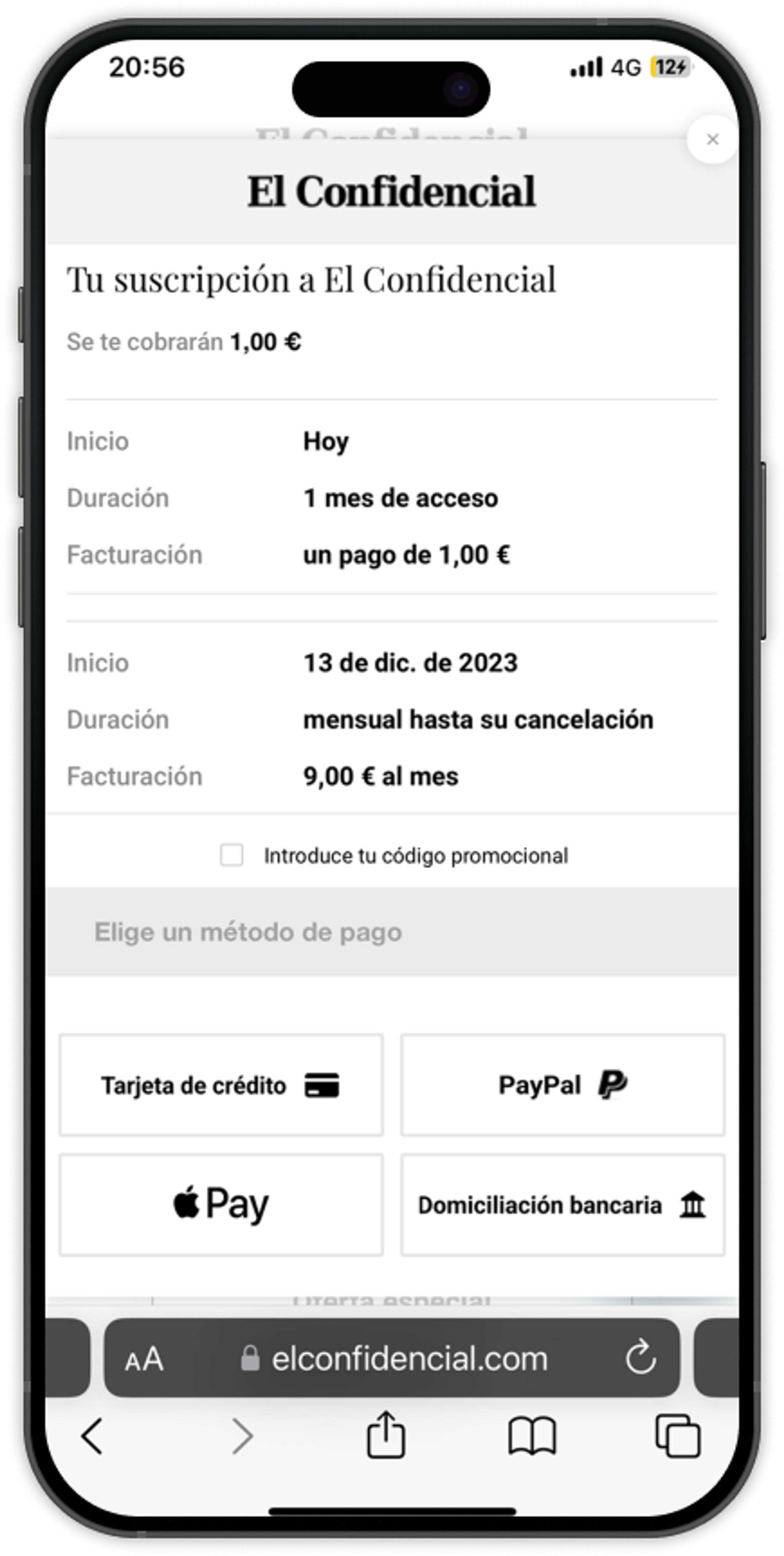
Before redesign
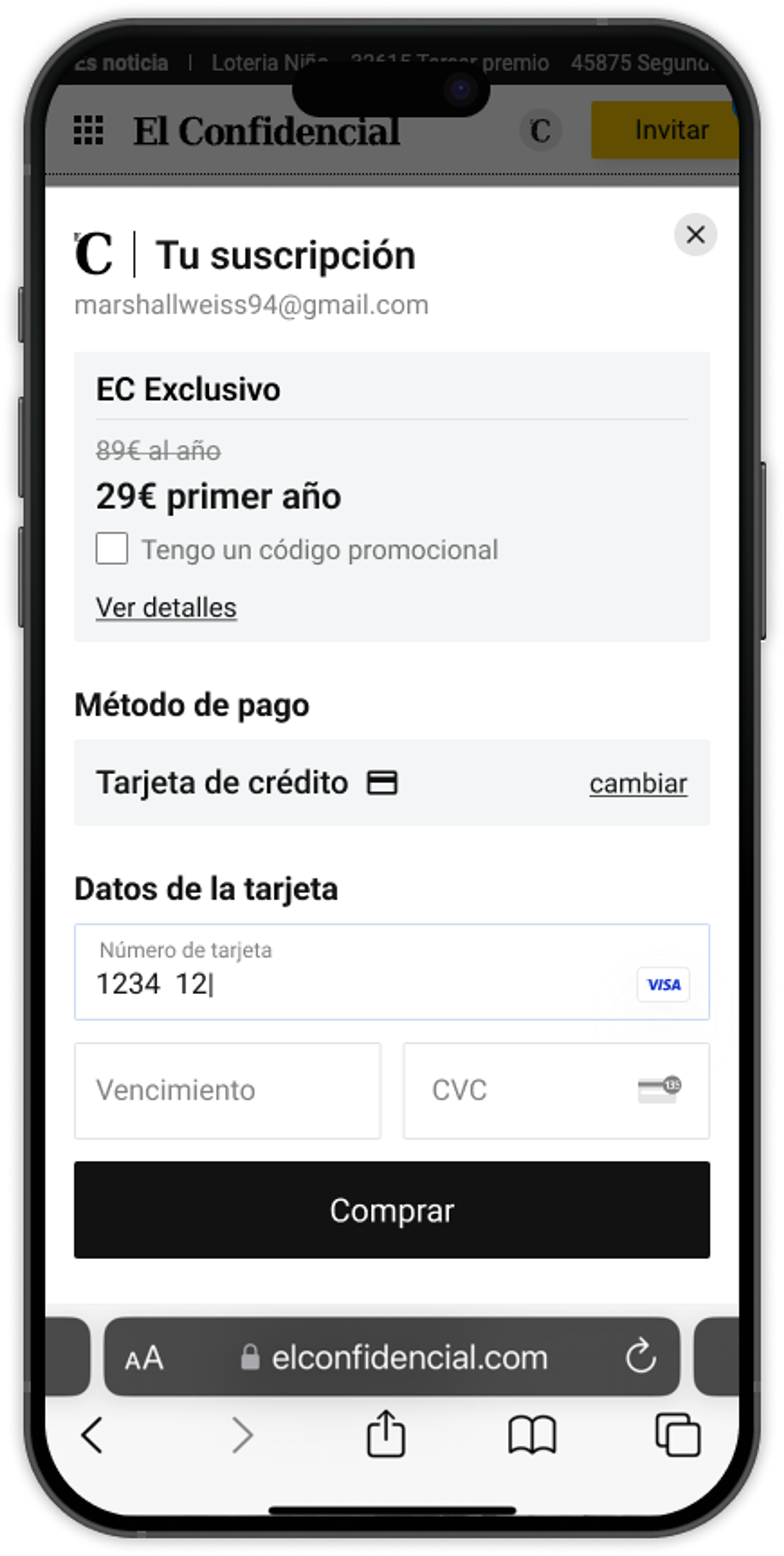
After redesign
Where readers dropped out
Tap or hover on the numbers to see each problem.
The checkout is the last step in El Confidencial's subscription funnel, and the place where readers who have already decided to subscribe can still give up. Many of our readers are older and less confident with technology, so the flow had to be plain and forgiving. The catch was Piano, the platform our paywall and checkout run on. Its templating language locks button styles, payment-method order, field localisation and transition states, so some friction, like the forced payment-method step and certain loading states, could only be softened, not removed.
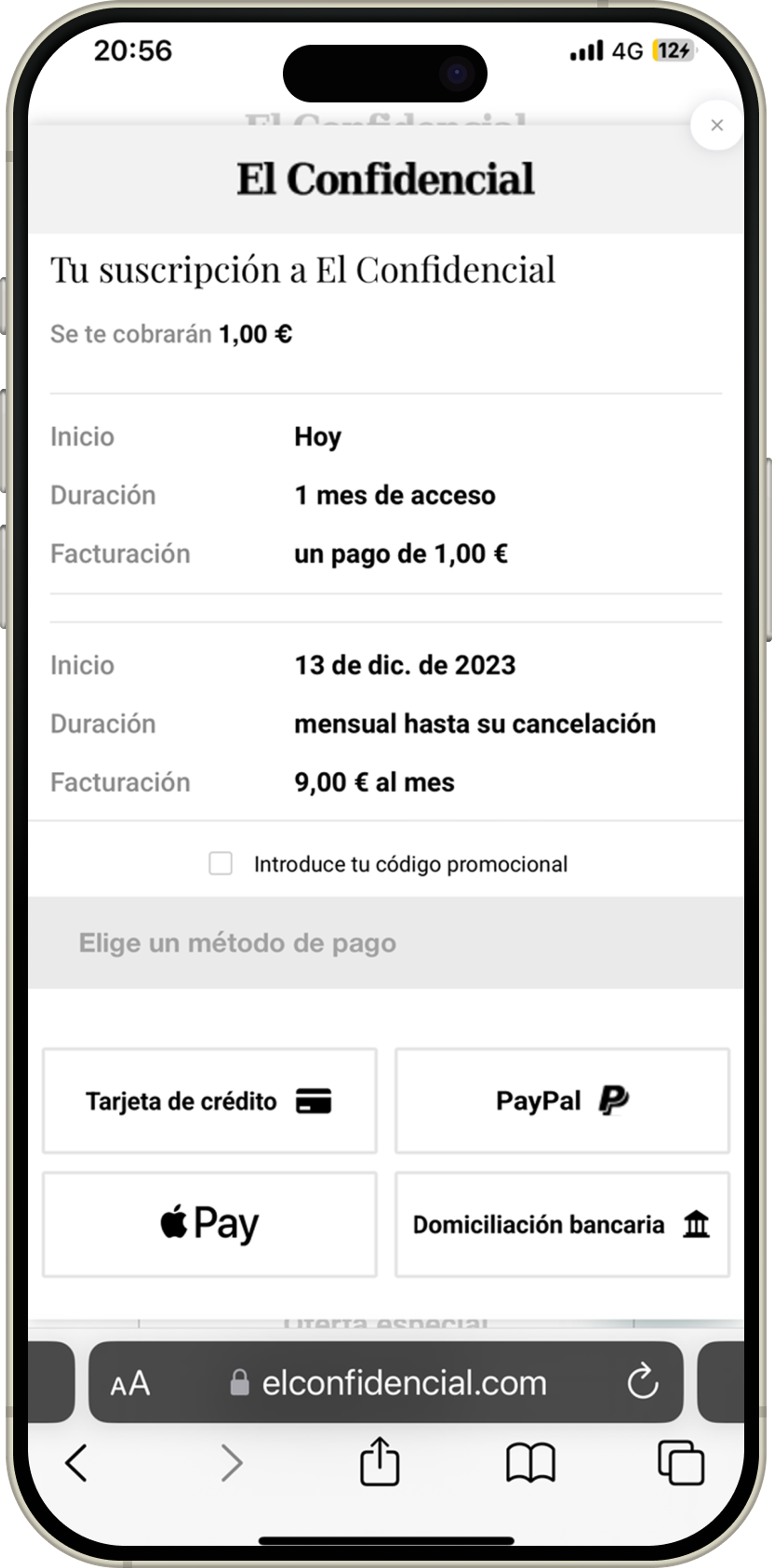
What was broken on mobile
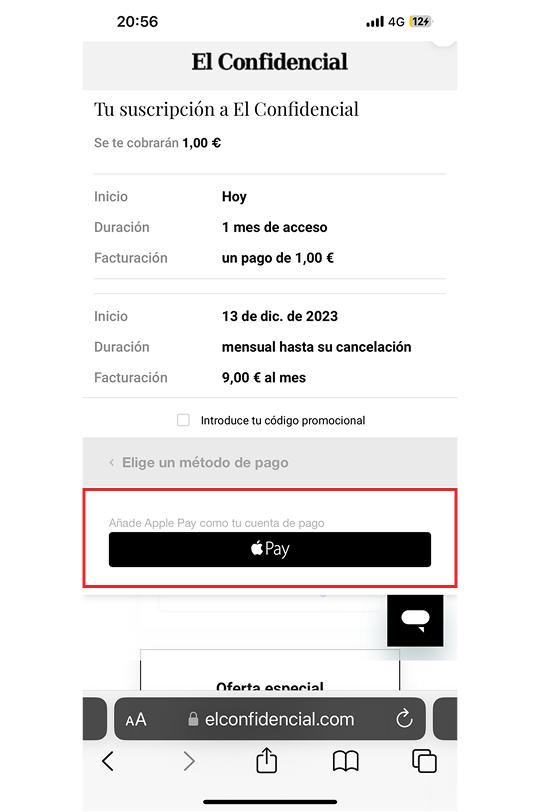
Apple Pay selected by default
Apple Pay was pre-selected, which skipped the card form entirely. Apple Pay turned out to be used more than we expected, but as a default it left many readers on a method they hadn't chosen, and the grey selector for the alternatives looked disabled, so few switched.
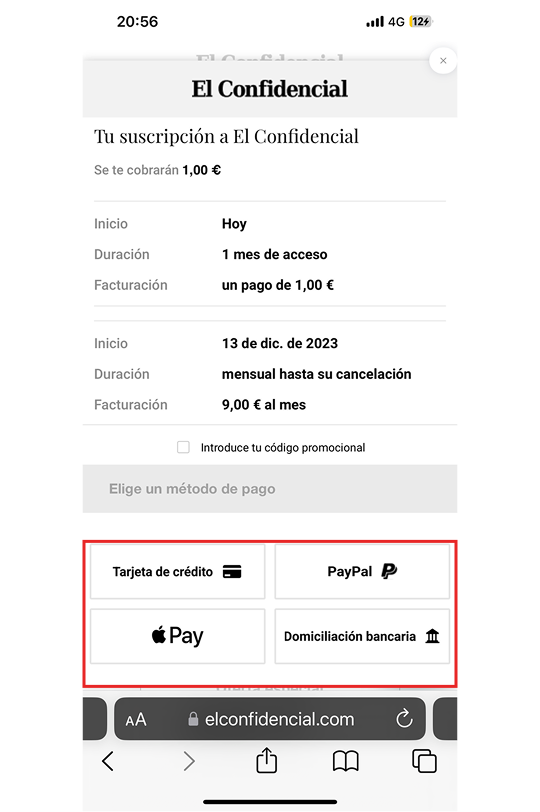
No default, and switching wiped the form
Readers had to pick a payment method before entering details. The buttons were inconsistent and low-contrast, and switching method cleared any card details already typed in.
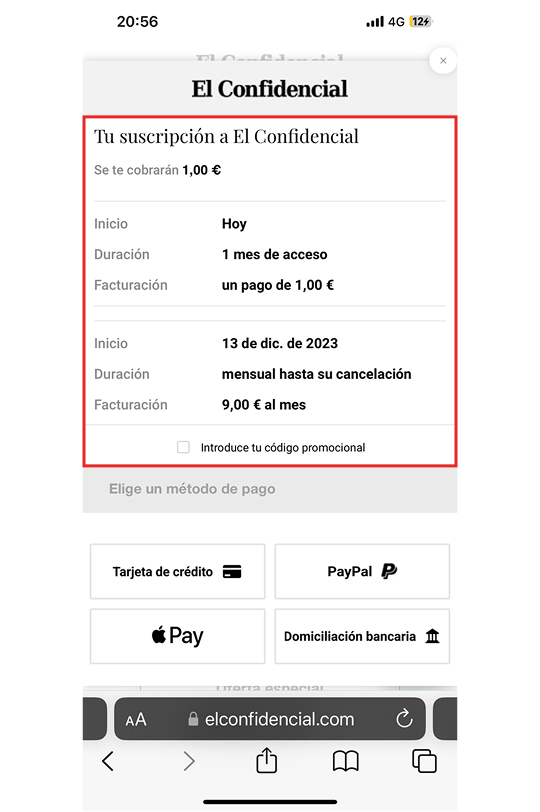
Three prices, no hierarchy
The immediate payment, the first-term price and the recurring rate all appeared at once, with nothing to show which one you'd be charged.
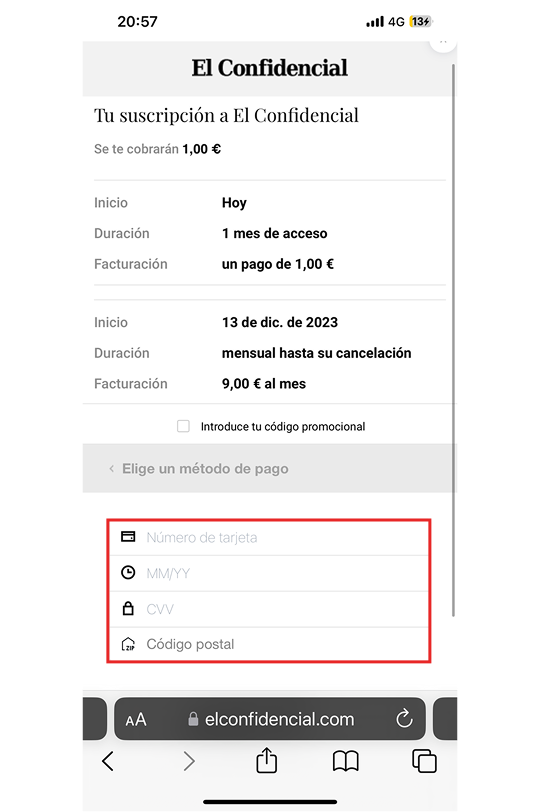
No autofill, and the buy button below the fold
Card fields had no autofill and the icons didn't match. The buy button sat below the fold, so readers had to scroll to find out how to pay.
What was broken on desktop
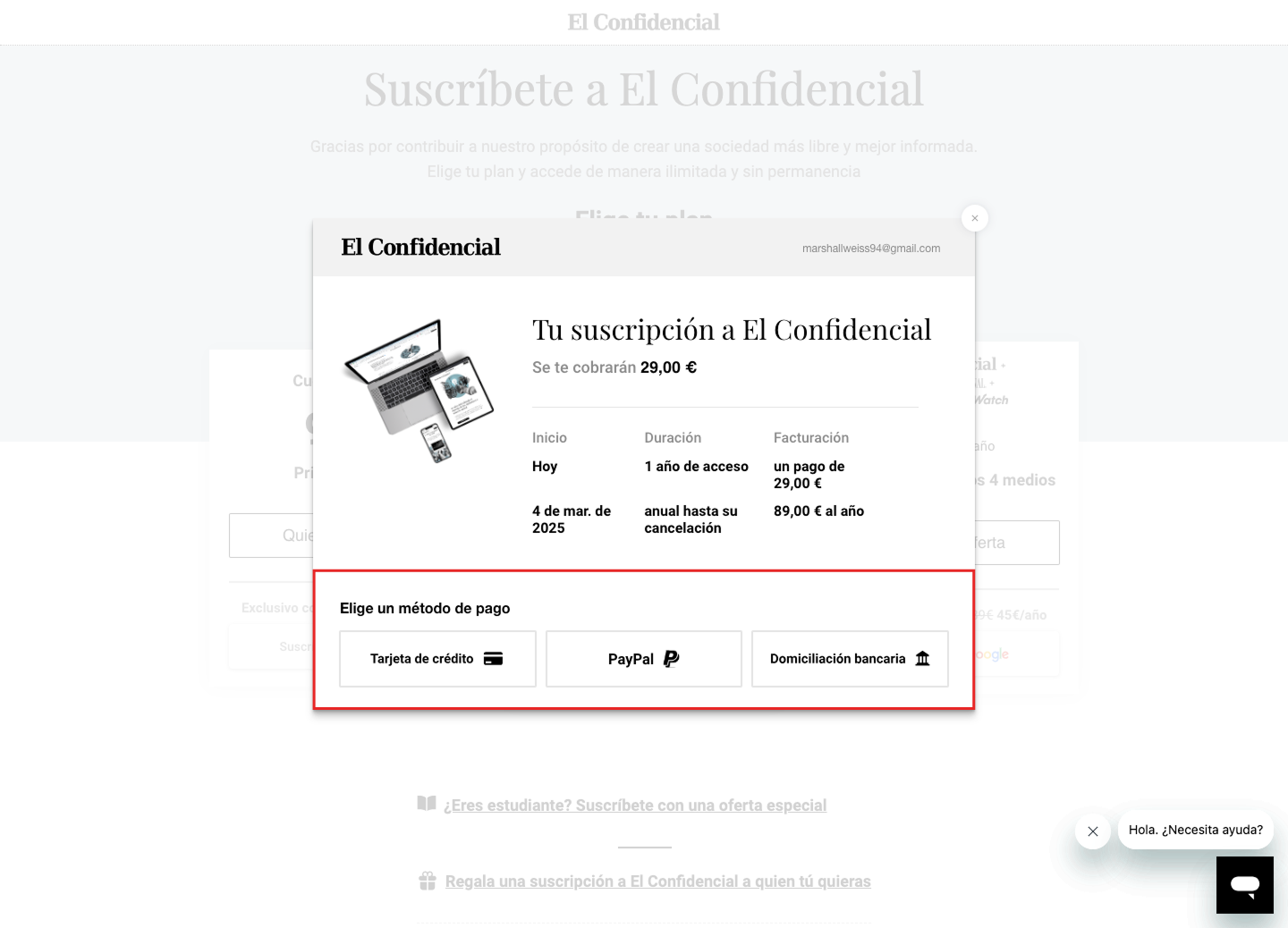
No default payment method
Readers had to choose between card, PayPal or bank transfer before anything else, with nothing selected.
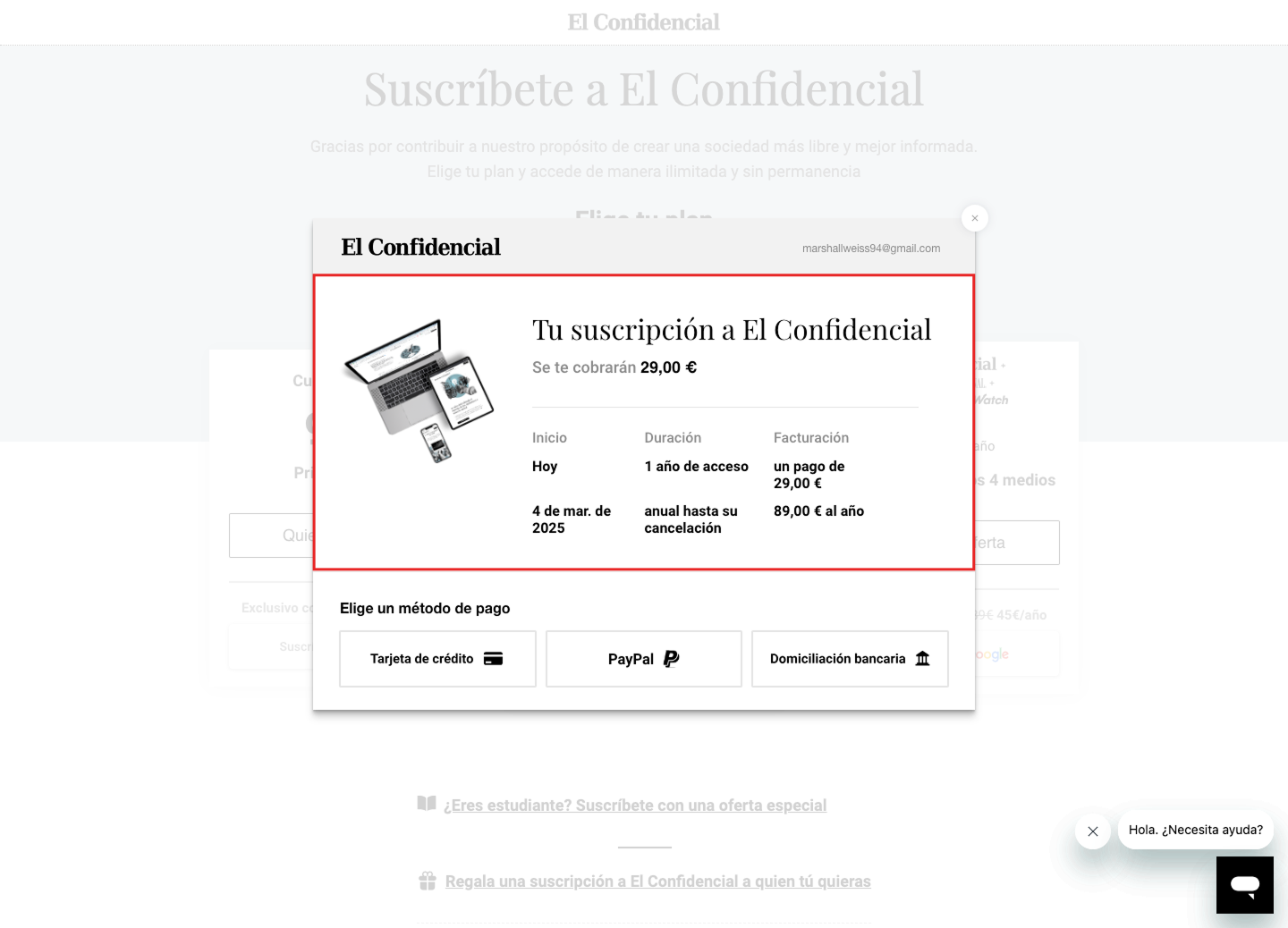
Too much text around the price
Three subscription prices appeared with no clear distinction, and the modal didn't say which plan you were buying or what it included.
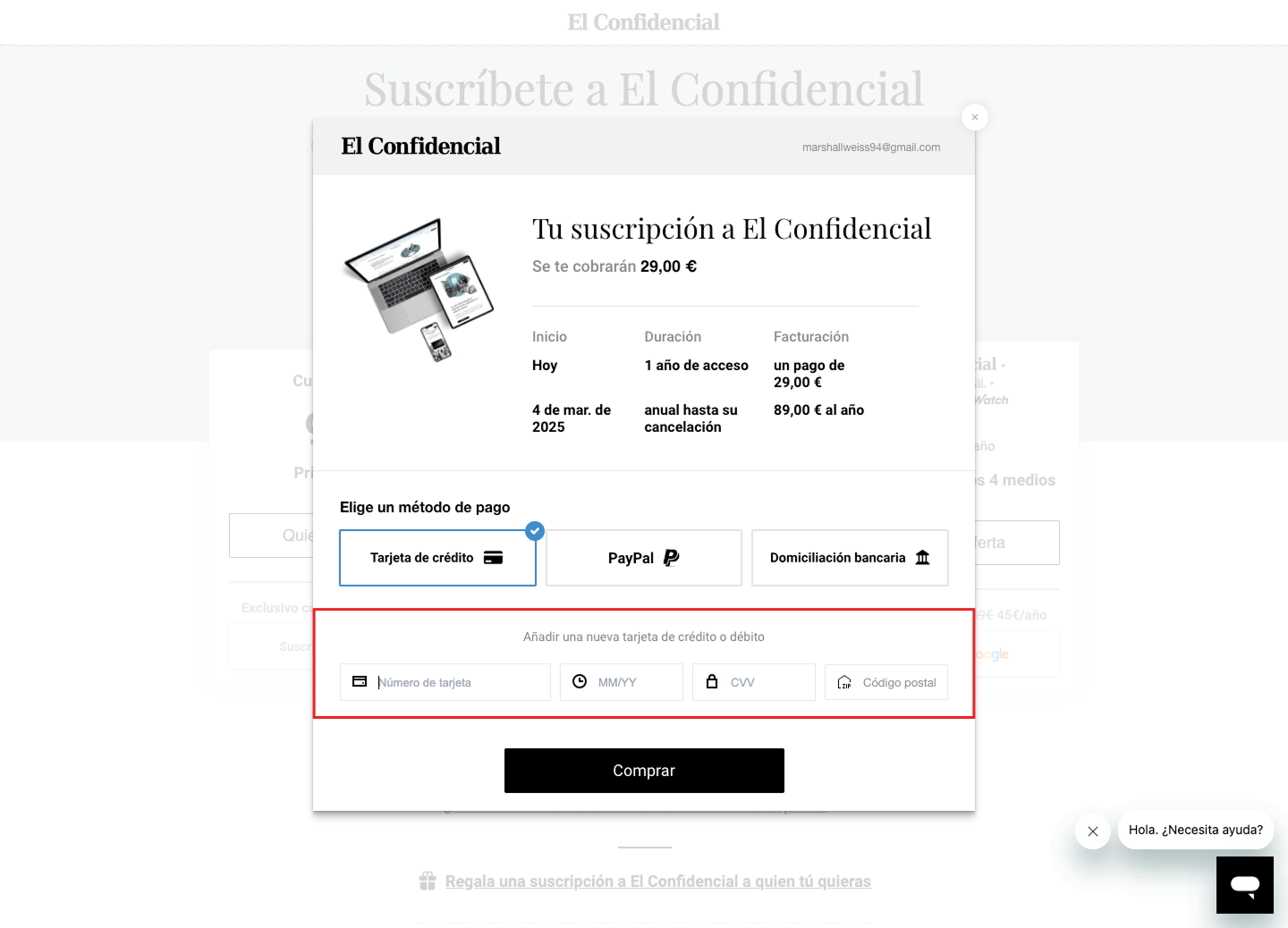
Card fields with the wrong icons
The card form lacked autofill and focus states. Icons were inconsistent and often wrong: a clock for the expiry date, a house labelled 'zip' for the postcode.
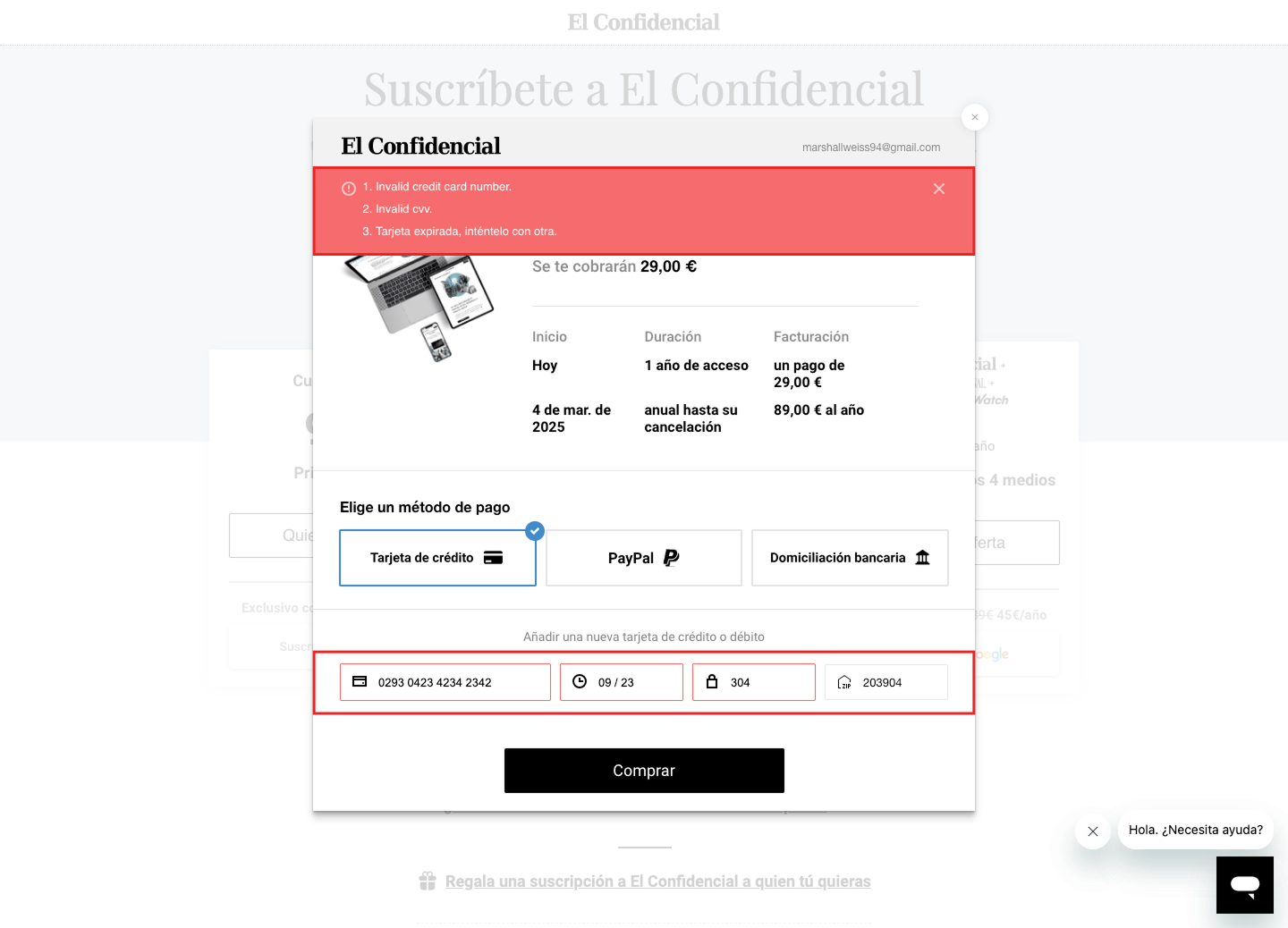
Errors only after you pressed Buy
Fields were only checked after clicking Buy, and errors appeared in an English-language banner at the top of the modal instead of under each field.
Research and benchmarking
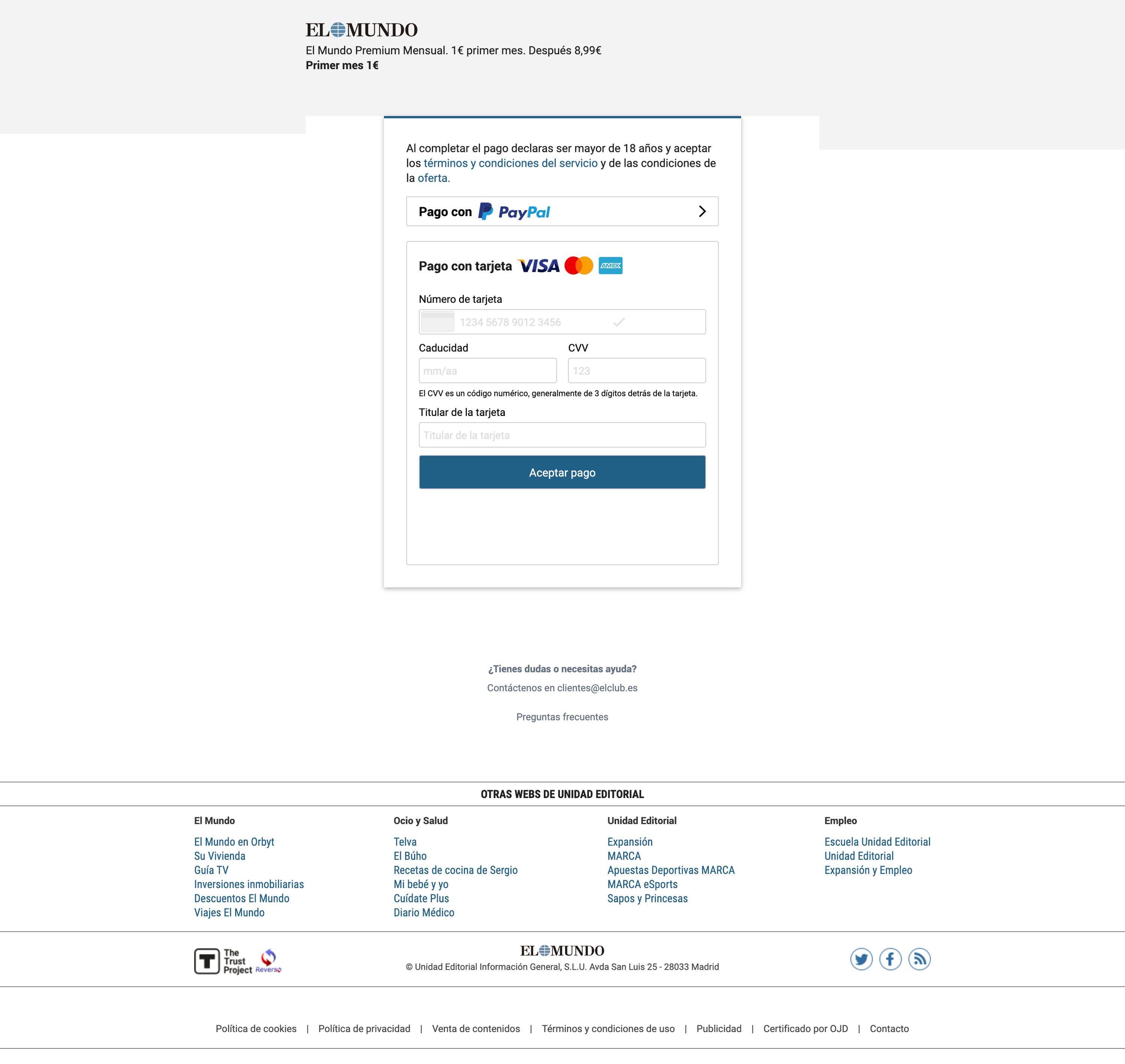
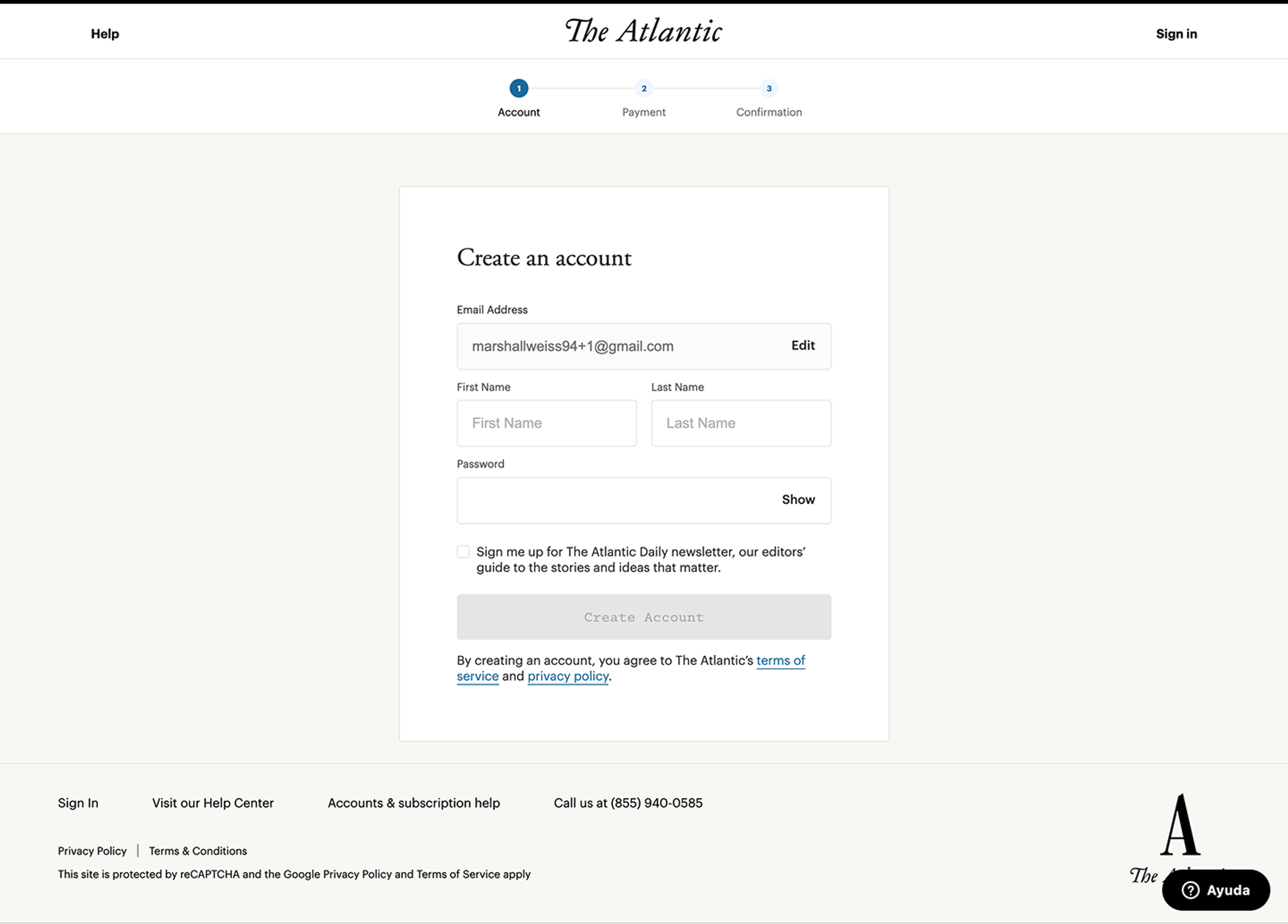
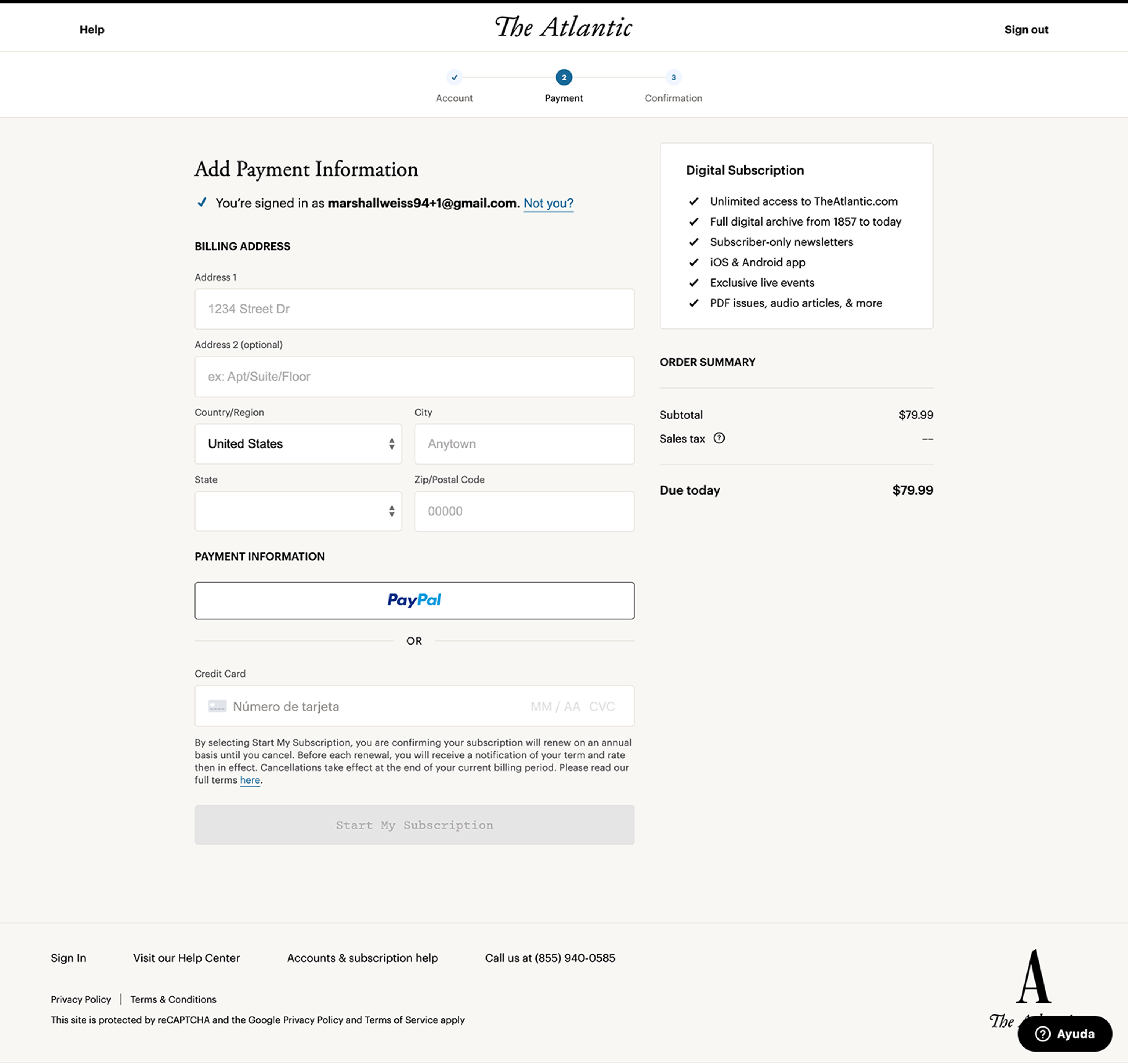
We looked for where readers gave up: HubSpot rage-click data and session recordings, the flow rendered on different screen sizes to catch anything falling below the fold, and customer-service logs for recurring payment complaints. We also compared our checkout with six other publications (NYT, Washington Post, El Mundo, El País, The Atlantic and WSJ) and with Nielsen Norman Group and Baymard Institute guidance.
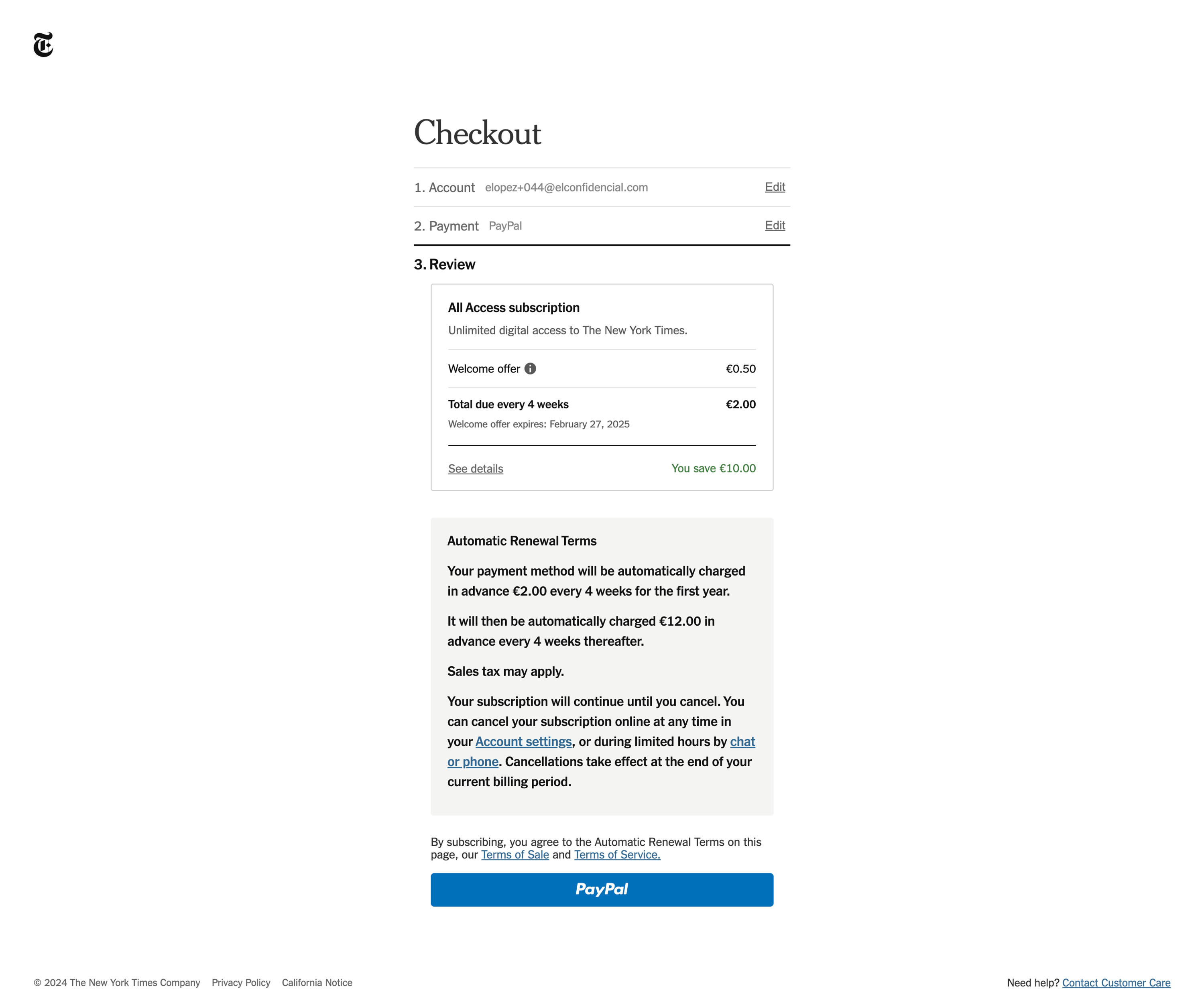
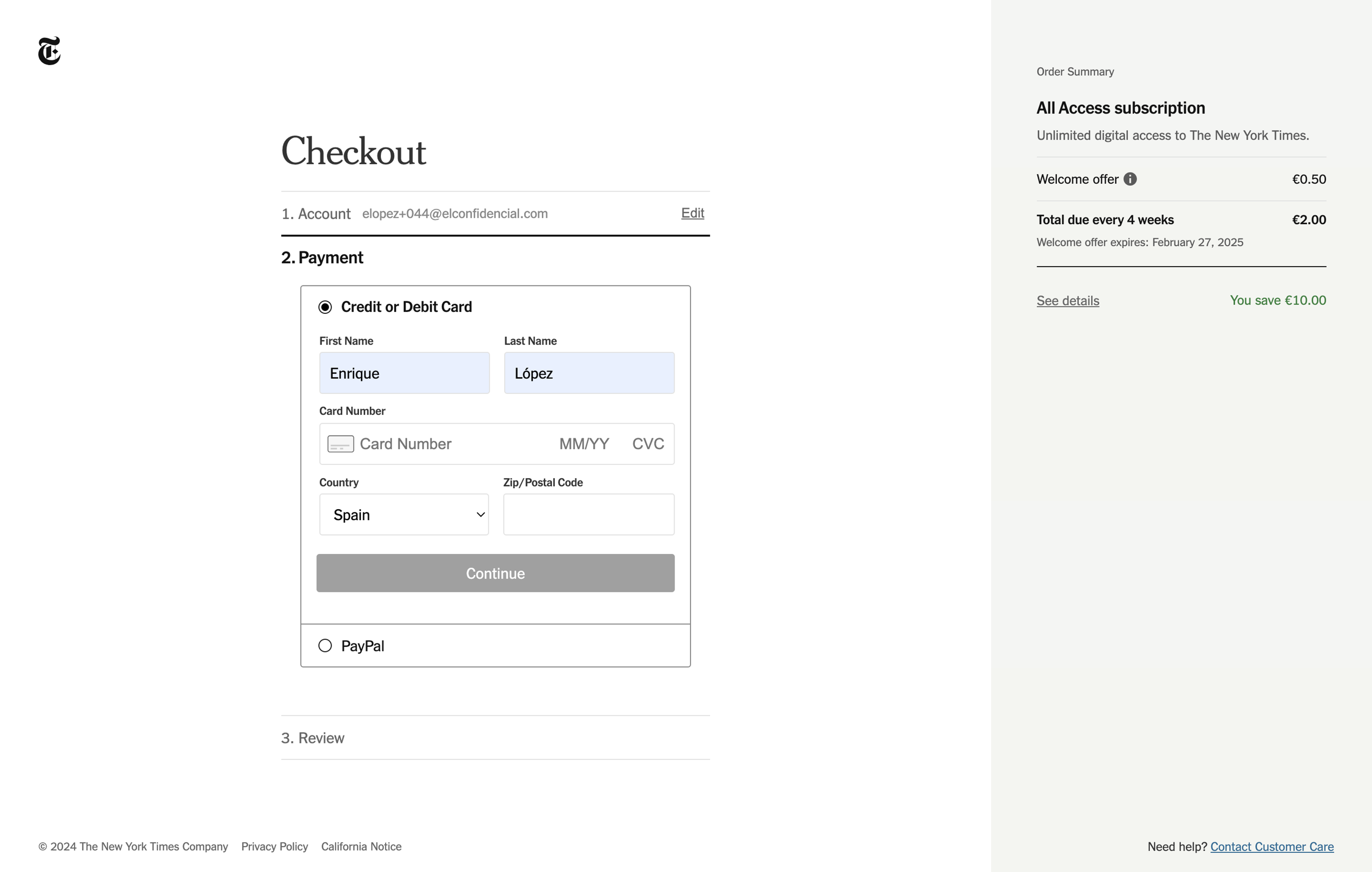
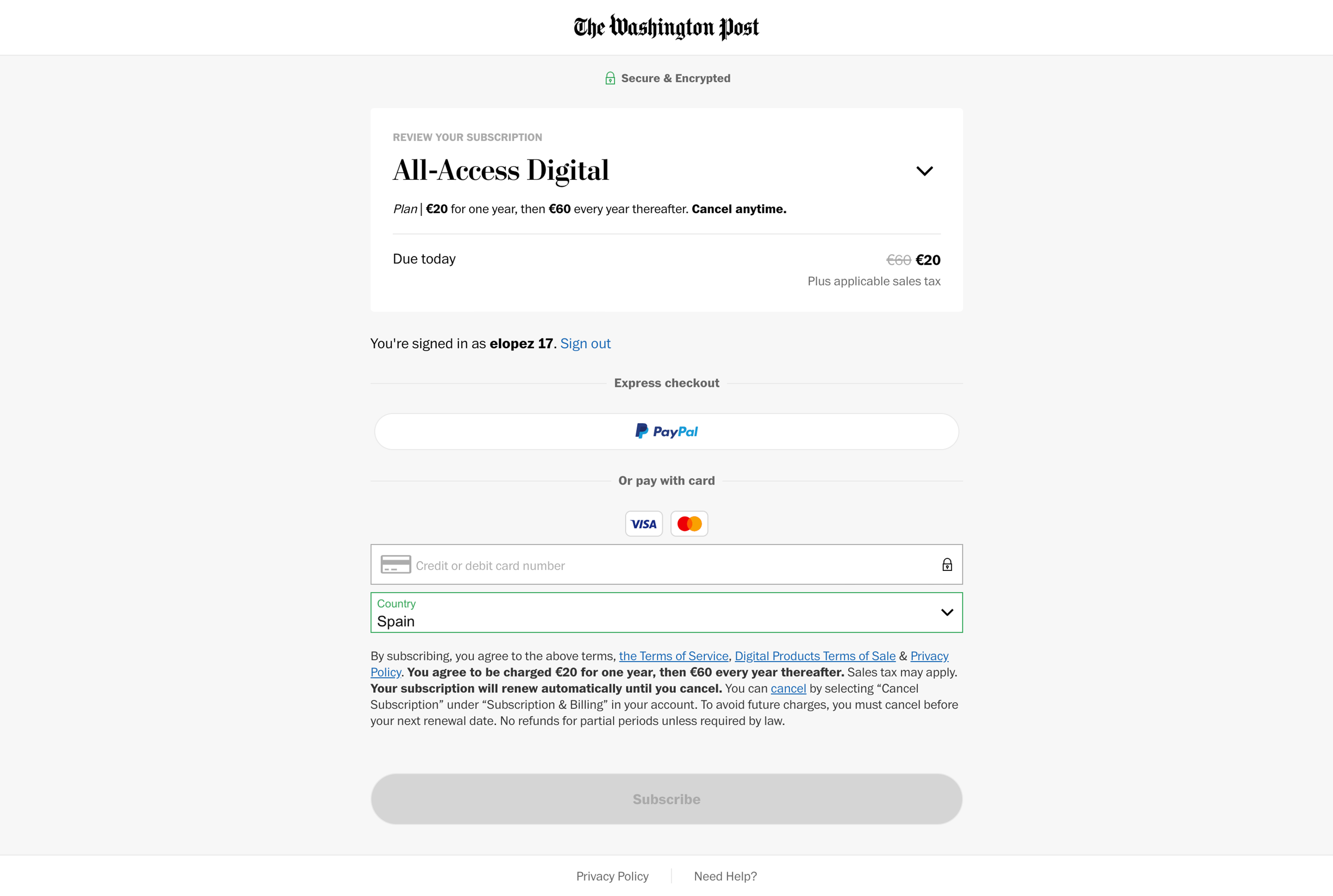
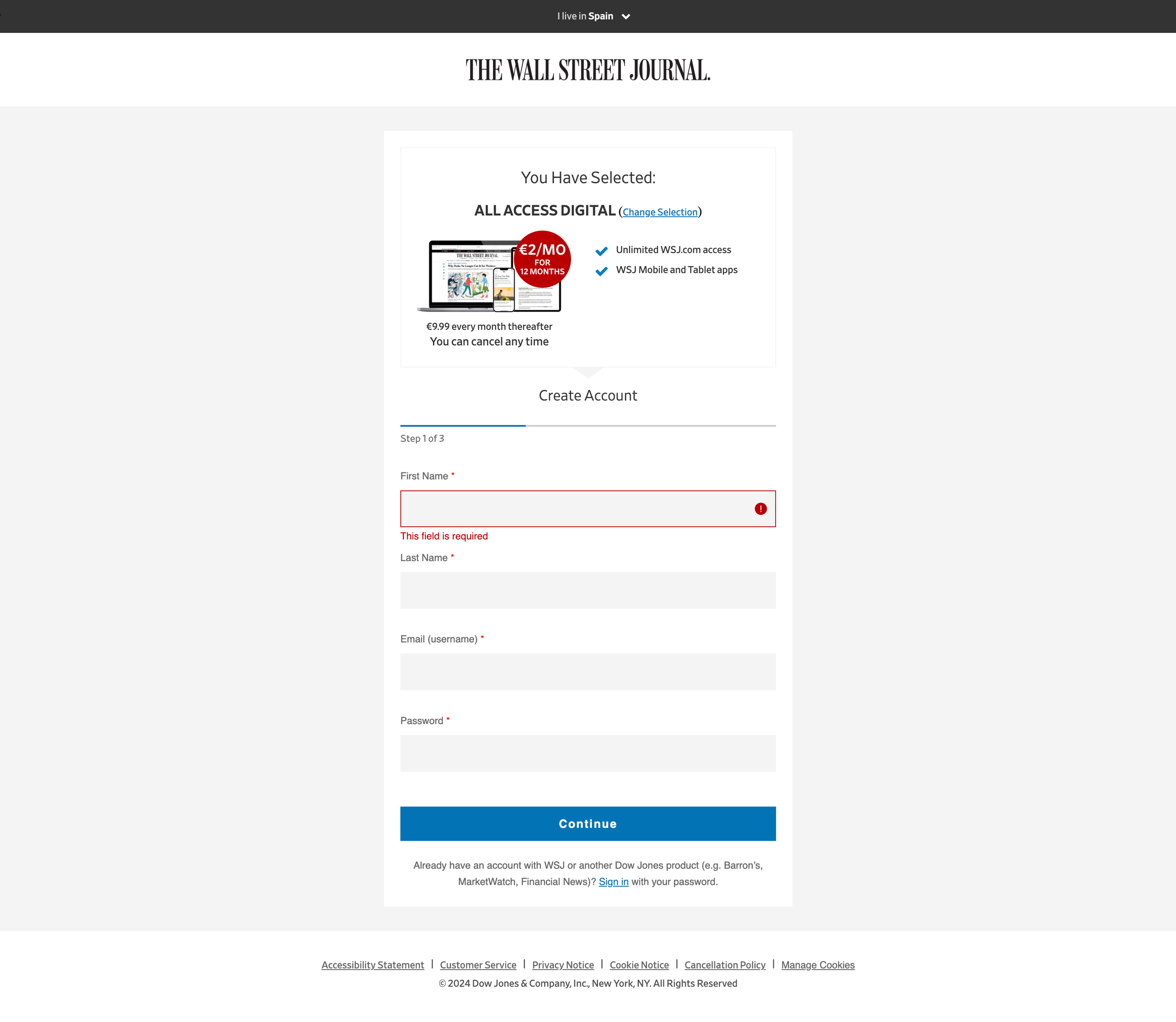
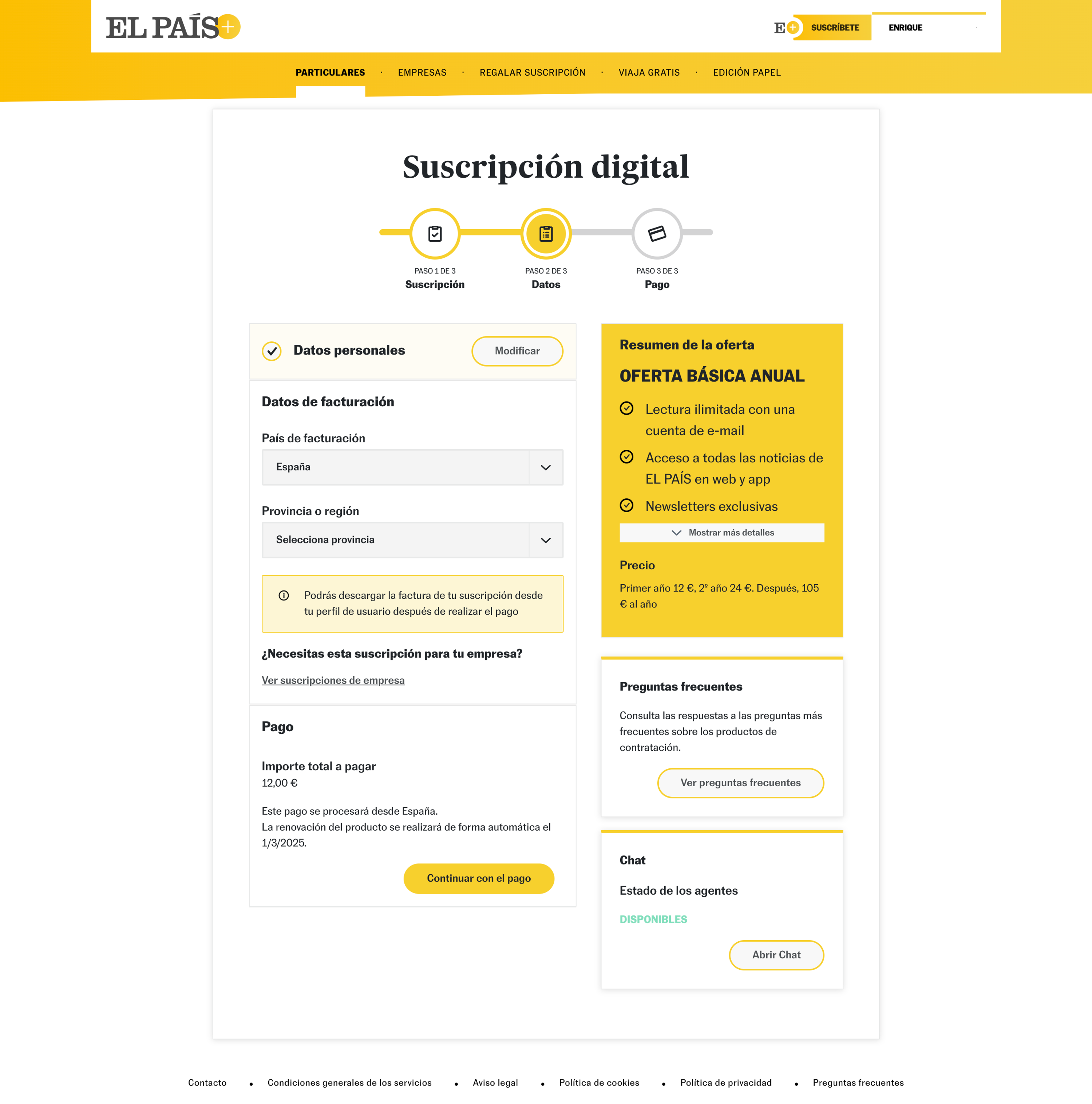
The new checkout
Most of the work happened side by side with the developers, inside Piano's limits. One early decision paid off more than we expected: switching the payment provider inside Piano to Stripe. That gave us a better card form with no extra front-end work, with proper autofill, better field styling and smoother behaviour on mobile.
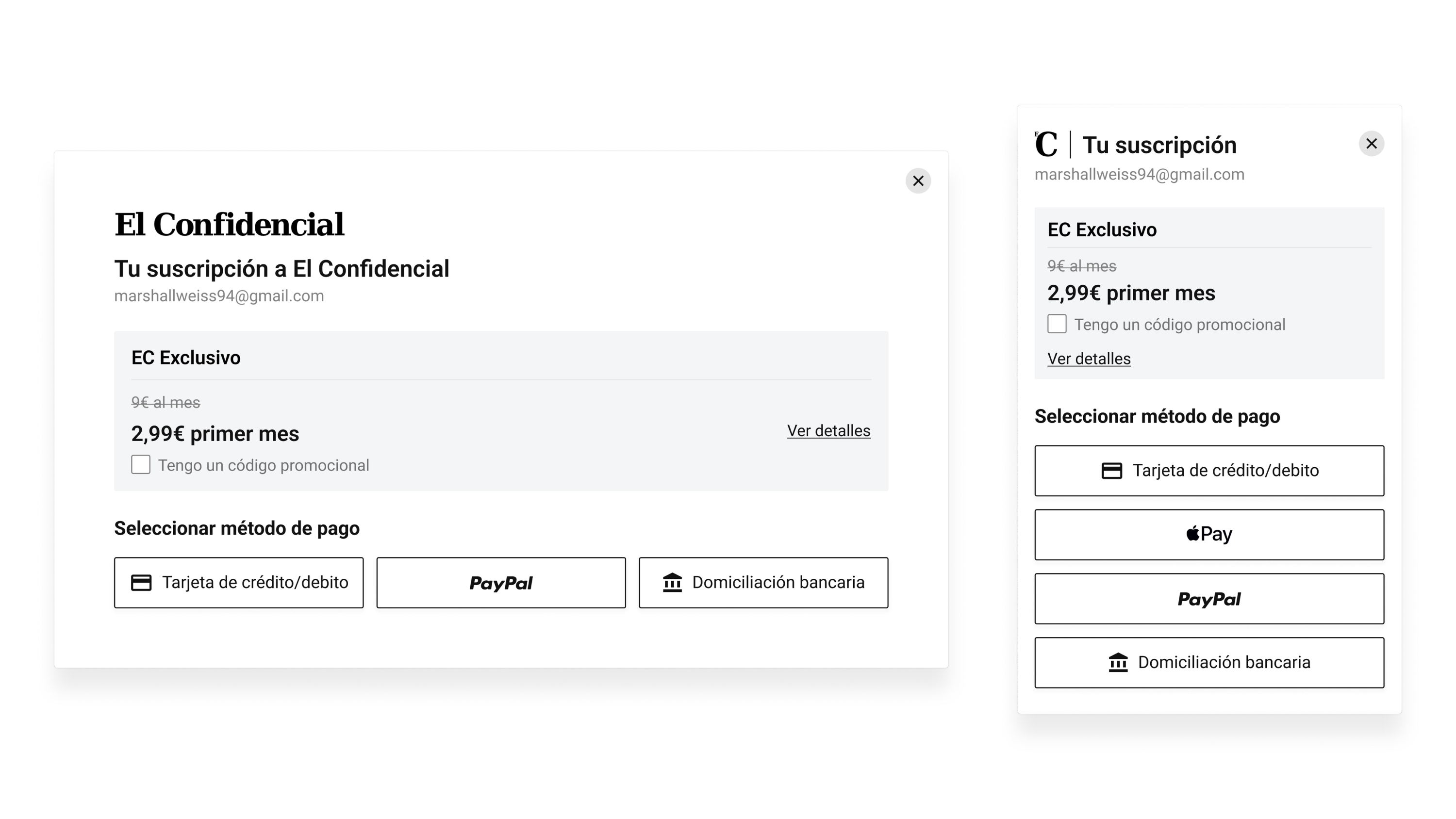
One price, clearly shown
I cut the pricing down to the discounted introductory price, with the original price shown smaller for context. Readers no longer had to work out which number applied to them.
Renewal terms one tap away
The full terms sit behind a 'Ver detalles' (see details) link, next to a plain note that you can cancel at any time. Nothing is hidden, but the main view stays short.
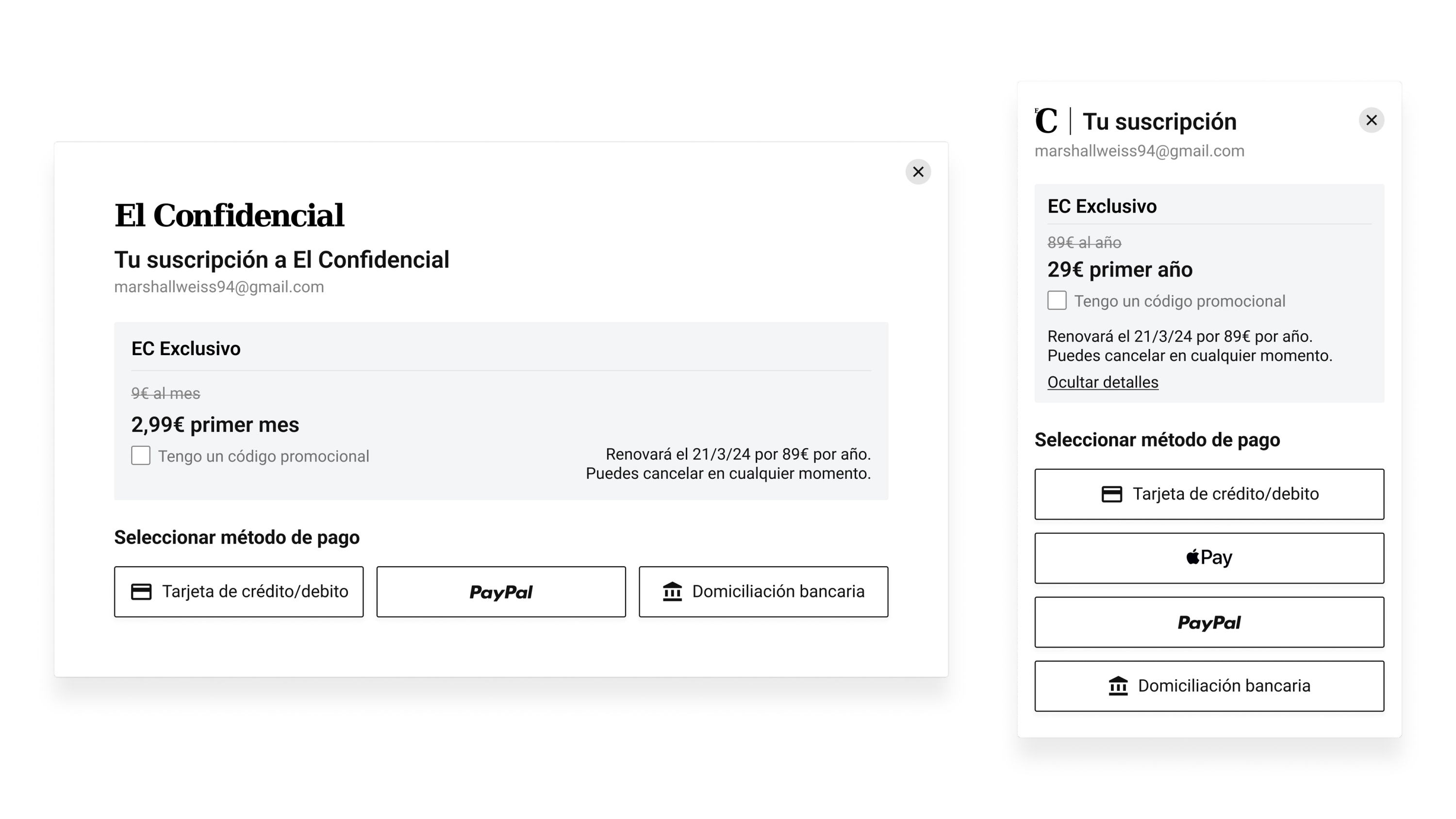
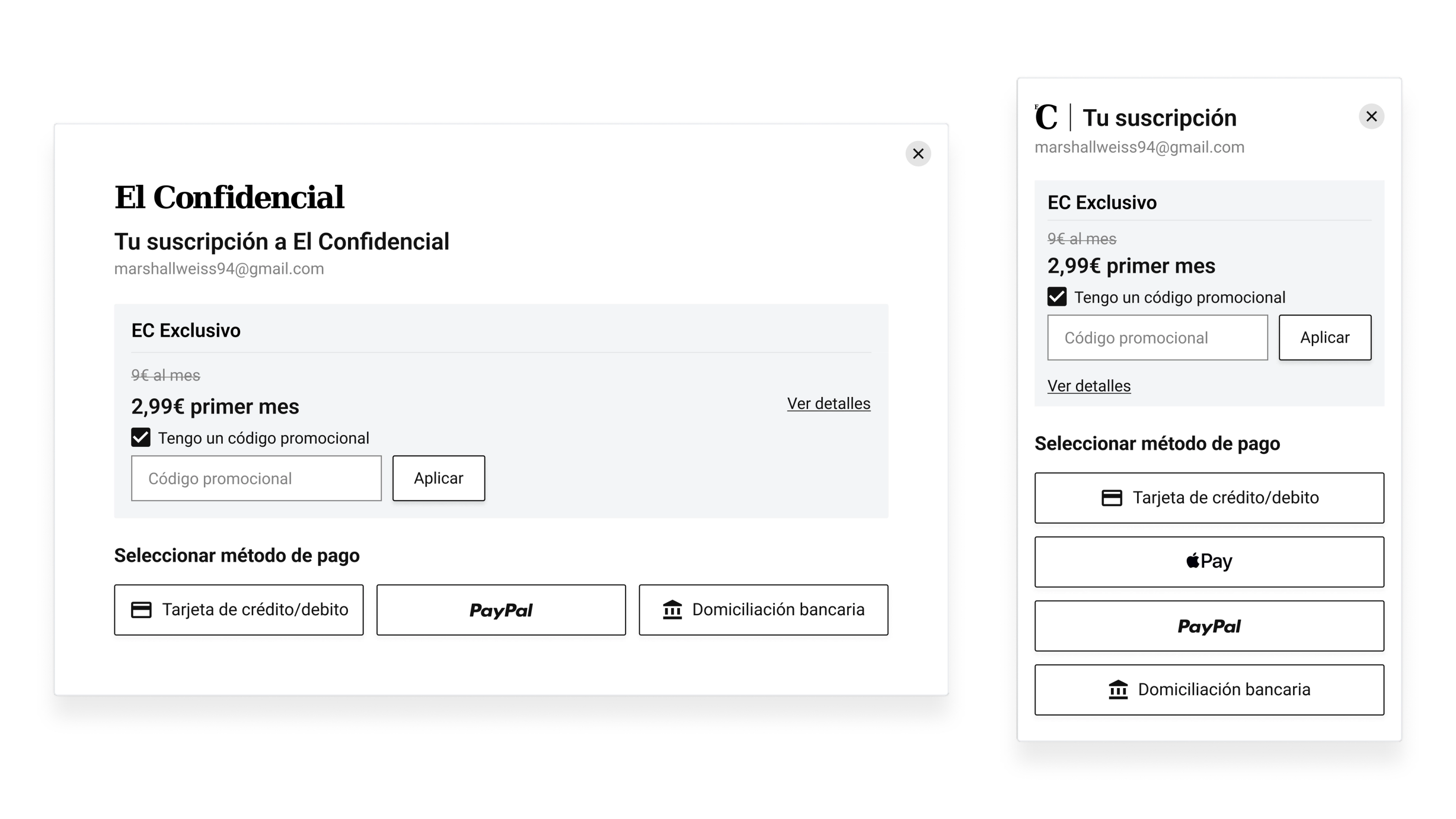
Promo codes only when you need them
The promo code field stays hidden until you tick a checkbox, so readers without a code don't face an empty field they can't fill.
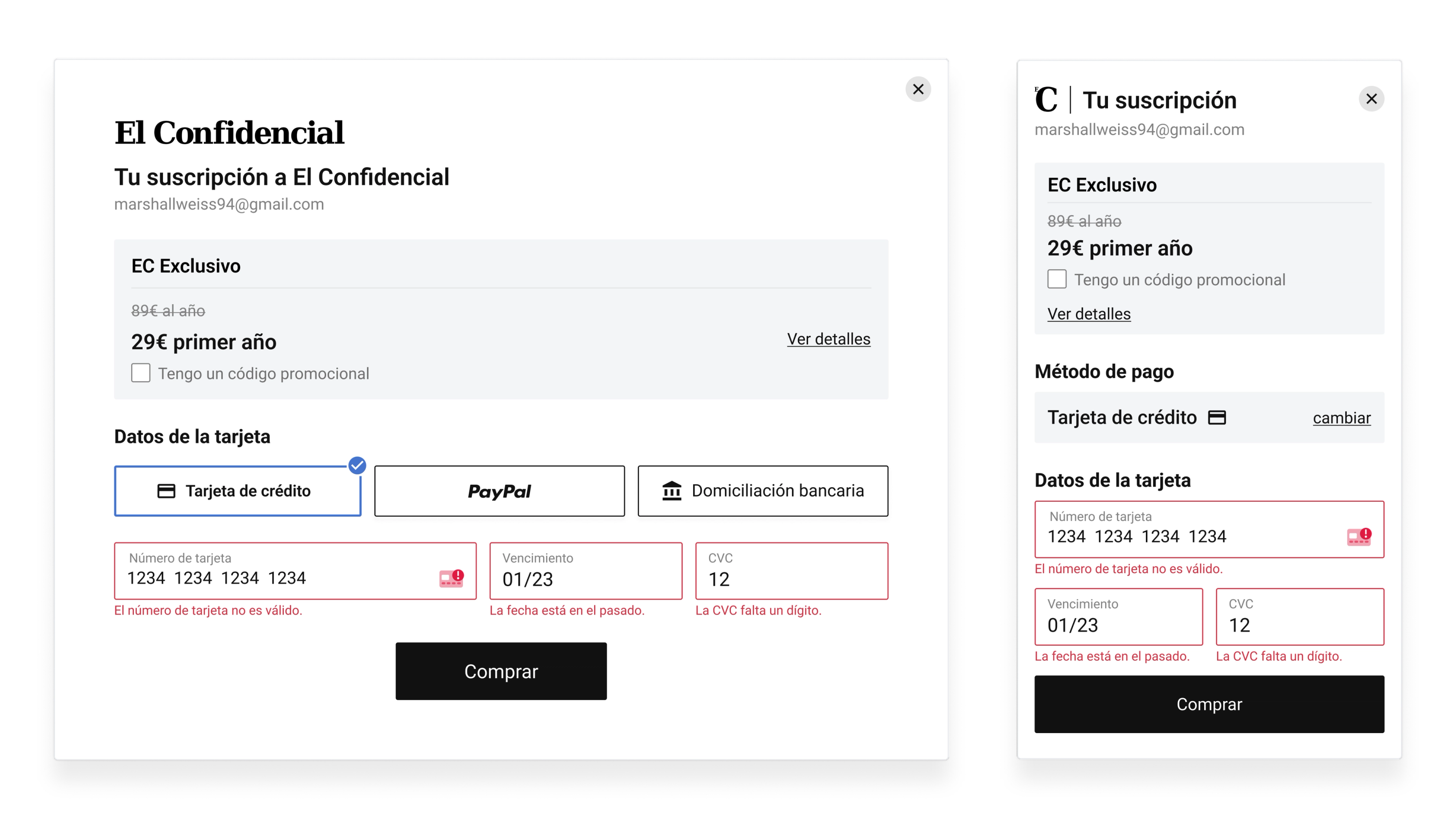
Errors as you type, in Spanish
Each field is checked as you fill it in, and errors appear in Spanish right under the field, instead of in an English banner after you press Buy.
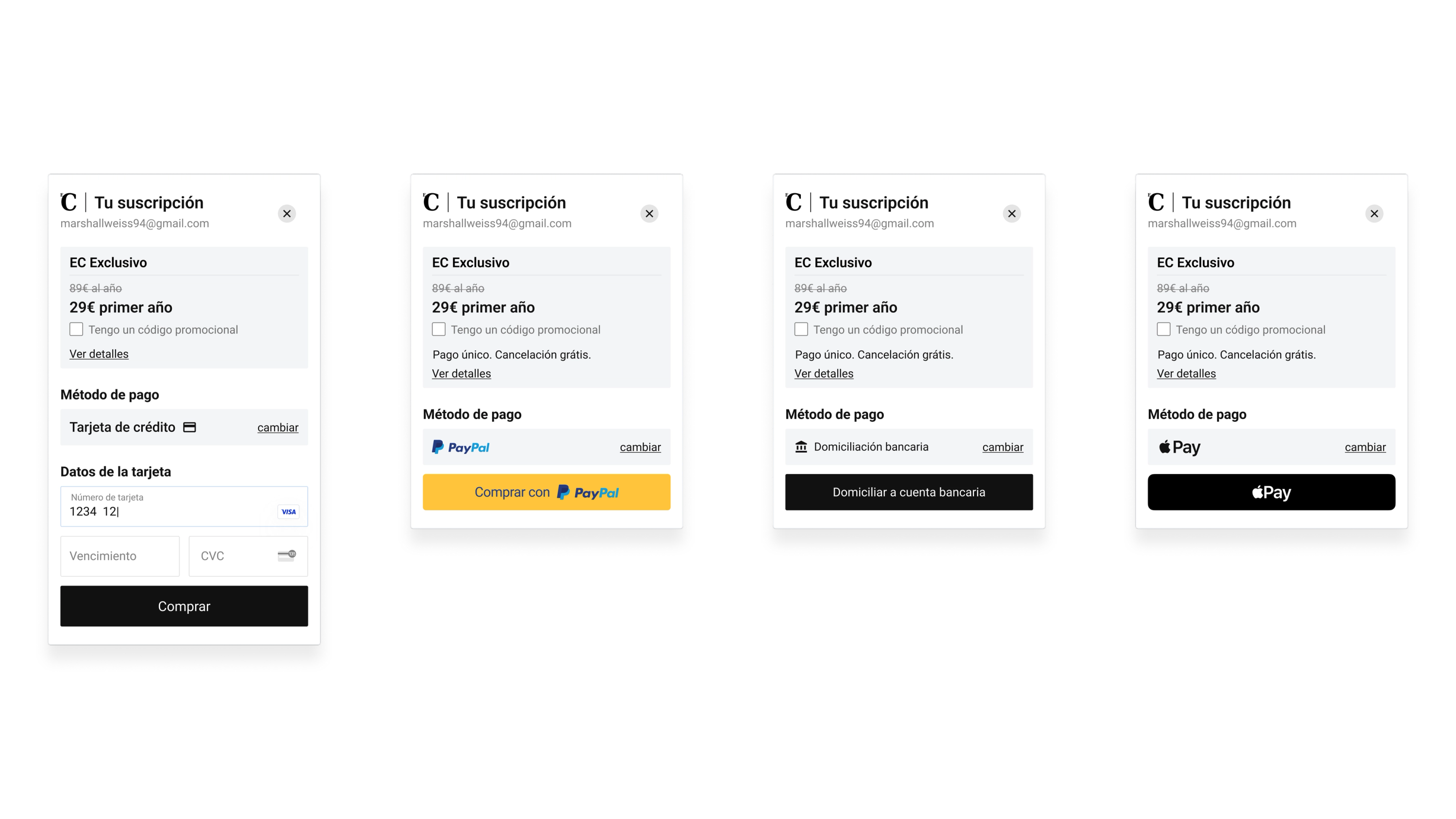
The buy button always in view on mobile
Subscription and payment details collapse, so the buy button stays on screen on mobile whichever payment method you choose.
Results and what I learned
Measured in Amplitude from the payment-method screen, where a reader has already picked a plan, to a confirmed subscription within ten minutes. Weekly completion ran at about 30% in the two months before the new checkout launched on 4 November 2024, and about 37% in the four months after. We shipped without an A/B test because the audit made the problems clear enough to commit to the full redesign, so this is a before-and-after comparison, not a controlled experiment.
The lift held after the holidays
The launch came a few weeks before Black Friday, and that week pushed completion far higher than usual. So we looked at January and February on their own, after the campaigns ended. Completion there was still well above the old rate.
The buy button was hidden on mobile
On mobile, the payment details pushed the buy button below the fold, so readers couldn't see how to finish. It was simple to fix, and while it was there it made every other problem worse.
Switching to Stripe gave us more than we expected
Moving from Piano's own payment fields to Stripe gave us autofill, better field styling and smoother mobile behaviour without extra front-end work. We made the switch to get around a constraint, and it became the biggest single improvement to the card form.
Customer service heard less about failed payments
The clearest signal outside the numbers came from customer service: reps reported fewer complaints from readers who couldn't finish paying.
Working inside Piano meant choosing battles
We couldn't rebuild checkout from scratch. Piano locked button styles, payment-method order and transition states, so the work was finding what we could change and living with the rest.
Today I'd write the Piano code myself
Most of the time went on back-and-forth with developers over Piano's templating language. Today I'd write that front-end code myself with Claude and skip the loop.